A TP-Link mesh WiFi extender system eliminates dead zones and provides seamless, powerful, and intelligent connectivity throughout your home by using multiple nodes that create a single, unified network. Unlike traditional range extenders that create separate networks and often suffer performance drops, TP-Link mesh systems ensure your devices automatically connect to the strongest signal as you move, maintaining an uninterrupted connection. As a network specialist at TVCSP, I’ve found TP-Link’s mesh technology to be consistently effective for over a decade in resolving connectivity issues.
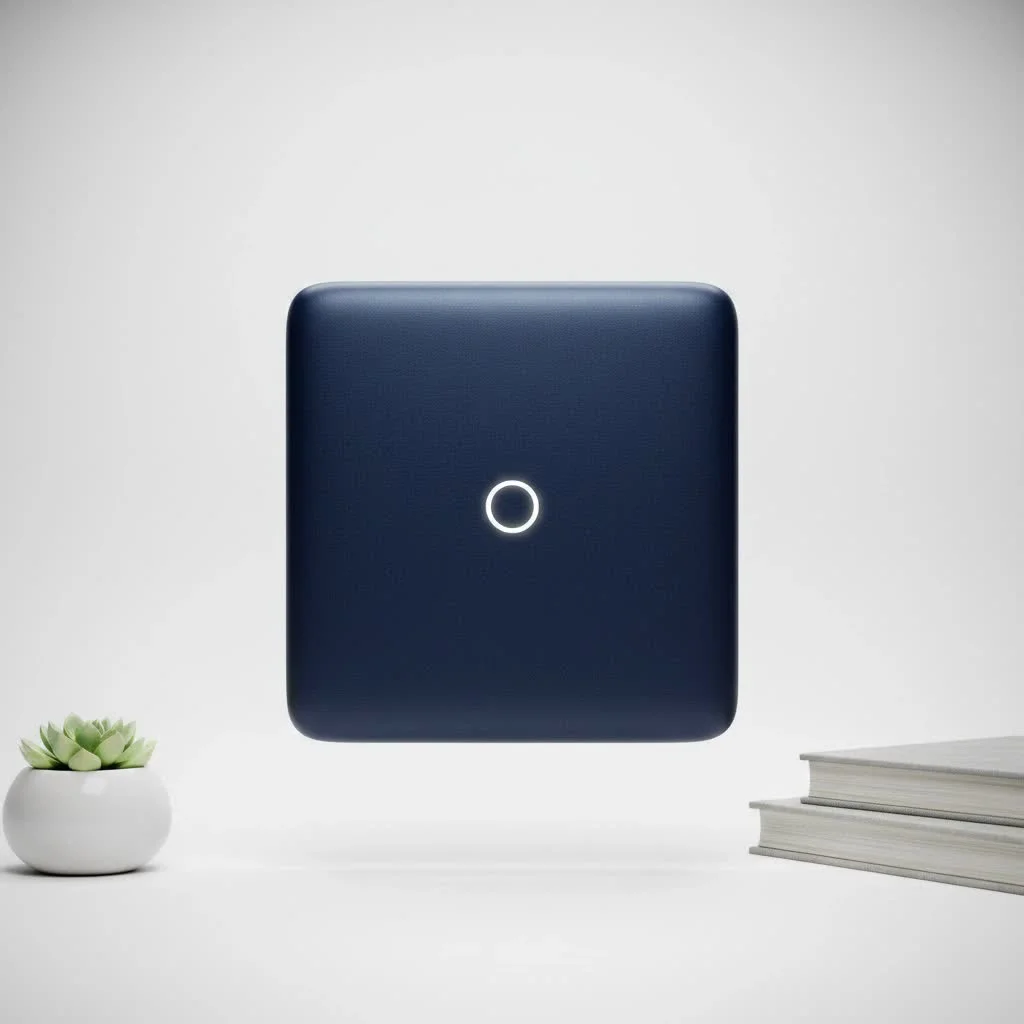
What Exactly Is a TP-Link Mesh WiFi Extender?
A TP-Link mesh WiFi extender system is a collection of devices, known as “nodes” or “points,” that collaborate to cover your entire home with a single, unified WiFi network. Unlike older extenders that establish a separate, secondary network (e.g., “MyHomeWiFi_EXT”), a mesh system operates under one network name and password. Your devices, such as phones, laptops, or smart TVs, automatically connect to the strongest available node as you move, ensuring a smooth, uninterrupted connection without manual switching.
Consider it similar to a modern lighting system: a single powerful lamp in the center of your house will still leave dark corners. A mesh system is akin to having multiple, coordinated ceiling lights that illuminate the entire space evenly.
How Does Mesh Technology Work?
The intelligence behind a TP-Link mesh network lies in its communication. The primary node connects directly to your modem, while the satellite nodes communicate with each other, not just the main router. This establishes multiple pathways for data transmission. If a node experiences interference or goes offline, the system automatically reroutes traffic through another node, ensuring your network remains stable and fast.
According to networking expert Sarah Jenkins, “The self-healing and adaptive routing capabilities of mesh systems are their biggest advantage. They actively manage your connection to provide the best possible performance, which is something a traditional extender simply can’t do.”
The Core Benefits of a TP-Link Mesh Network
Opting for a mesh system over a standard extender provides several significant advantages that directly enhance your daily internet experience.
- Complete Dead Zone Elimination: By strategically placing nodes throughout your home, you can achieve coverage in every area, from the basement to the attic, and even into the backyard.
- Seamless Roaming: Enjoy a single, unified network. You can move from one end of your house to the other during a video call without any drops or stutters, as your device intelligently switches between nodes.
- Simplified Setup and Management: TP-Link mesh systems, such as their popular Deco line, are managed via an intuitive mobile app. Setup is typically a plug-and-play process that takes only a few minutes, and the app offers powerful tools for network management, including parental controls and device prioritization.
- Enhanced Stability and Speed: Because the nodes communicate with each other, the system maintains high speeds even as you move further from the main router. The network is more resilient and less susceptible to interference.
- Scalability: If you need more coverage, simply add another node to your existing system. It’s an easily expandable solution that can grow with your needs.
Setting Up Your TP-Link Mesh WiFi Extender
Getting a TP-Link mesh system operational is remarkably straightforward. While specific steps may vary slightly between models (e.g., Deco series vs. OneMesh extenders), the general process is as follows:
- Download the App: Begin by downloading the TP-Link Deco or Tether app on your smartphone, which will serve as your control center.
- Connect the Main Node: Unplug your modem, connect the main mesh node to it using an Ethernet cable, and then power on both devices.
- Follow In-App Instructions: Open the app, which will guide you through creating a new WiFi network, including setting a network name (SSID) and password.
- Place and Power On Satellite Nodes: Once the main node is configured, strategically place the other nodes throughout your home. A good guideline is to position them approximately halfway between the main router and a known dead zone.
- Add Nodes to the Network: Use the app to add the satellite nodes to your newly created mesh network. The app will confirm their connection and indicate if their placement is optimal.
Pro Tip: For optimal performance, place nodes in open areas, away from thick concrete walls, large metal objects, and appliances like microwave ovens that can cause signal interference.
TP-Link’s Mesh Ecosystem: Deco vs. OneMesh
TP-Link offers two distinct yet excellent approaches to mesh networking, designed to cater to different needs and budgets.
Deco: The Dedicated Mesh System
|
Our Picks for the Best Wifi Extender in 2026
As an Amazon Associate I earn from qualifying purchases.
|
||
| Num | Product | Action |
|---|---|---|
| 1 | TP-Link AC1200 WiFi Extender, 2023 Engadget Best Budget Pick, 1.2Gbps Signal Booster for Home, Dual Band 5GHz/2.4GHz, Covers Up to 1500 Sq.ft and 30 Devices,Support Onemesh, One Ethernet Port (RE315) |

|
| 2 | WiFi Extender with 4 Antennas 1200Mbps - Dual Band 5GHz/2.4GHz, WiFi Extender Signal Booster with 3 Modes Support, WiFi Repeater with 12880 Sq.ft 105 Devices, Easy Set Up for Home |
|
| 3 | TP-Link AX3000 WiFi 6 Range Extender - PCMag Editor\'s Choice - Dual-Band Wireless Repeater w/Ethernet Port - Up to 2400 Sq. Ft., 64 Devices - Internet Signal Booster - APP Setup - EasyMesh (RE715X) |
|
| 4 | Amazon eero 6 mesh wifi extender with 1-month free eero Plus (auto-renews) - Add up to 1,500 sq. ft. of Wi-Fi 6 coverage to your existing eero mesh wifi network |
|
| 5 | TP-Link AC1900 WiFi Range Extender RE550 - Dual-Band Wireless Repeater Amplifier w/Gigabit Ethernet Port - Up to 2200 Sq. Ft., 32 Devices - Internet Signal Booster - APP Setup - EasyMesh Compatible |
|
| 6 | Amazon eero 7 with 1 month free eero Plus (auto-renews) - Supports internet plans up to 2.5 Gbps, Coverage up to 2,000 sq. ft., Connect 120+ devices, 1-pack |
|
| 7 | 2025 Fastest WiFi Extender, WiFi Repeater, WiFi Booster, Covers Up to 10000 Sq.ft and 80 Devices, Internet Booster - with Ethernet Port, Quick Setup, Home Wireless Signal Booster |
|
| 8 | WiFi Extender, WiFi Extenders Signal Booster for Home Up to 5000 sq.ft and 50 Devices, WiFi Range Extender, Wireless Repeater, Long Range Amplifier with Ethernet Port, 1-Tap Setup, Alexa Compatible |
|
| 9 | 2025 WiFi Extenders Signal Booster for Home Long Range Up to 9800 sq. ft & 40 Devices, WiFi Extender Signal Booster, Quick Setup-Medium, Internet Repeater, WiFi Extender |
|
| 10 | Amazon eero 6+ mesh wifi system with 1 month free eero Plus (auto-renews) - Coverage up to 4,500 sq. ft., Connect 75+ devices, 3-pack |
|
The Deco line represents TP-Link’s flagship, all-in-one mesh WiFi solution. When you purchase a Deco kit, you receive a set of nodes engineered to work together seamlessly. These systems completely replace your existing router.
- Best For: Users seeking a simple, powerful, and dedicated system to provide whole-home coverage. Ideal for larger homes or those with challenging layouts.
- Key Features: Extremely easy setup, unified management via the Deco app, advanced features such as built-in antivirus and robust parental controls (HomeShield).
OneMesh: The Flexible and Affordable Option
OneMesh is an intelligent feature that enables you to create a mesh network using a compatible TP-Link router and a OneMesh-compatible range extender. It offers a more flexible and budget-friendly way to gain the benefits of mesh without replacing your entire network setup.
- Best For: Users who already own a compatible TP-Link router and wish to extend its range by eliminating dead zones with a mesh-like experience.
- Key Features: Utilizes your existing router, provides a more affordable entry point to mesh technology, and offers a single network name for seamless roaming.
| Feature | TP-Link Deco System | TP-Link OneMesh |
|---|---|---|
| Concept | A complete, all-in-one mesh system that replaces your router. | A feature that creates a mesh network with a compatible router and extender. |
| Hardware | Comes as a multi-unit kit (e.g., Deco M5, X60). | Requires a OneMesh-compatible router and extender (sold separately). |
| Setup | Extremely simple via the dedicated Deco app. | Simple setup via the Tether app or web interface. |
| Performance | Generally offers higher, more consistent performance and backhaul. | Performance is very good, but can depend on the router/extender models. |
| Best For | New network setups or complete overhauls for the best experience. | Upgrading an existing compatible TP-Link network on a budget. |
Frequently Asked Questions (FAQ)
What is the difference between a mesh extender and a regular WiFi extender?
A regular WiFi extender creates a separate network and simply repeats the signal, which can reduce bandwidth by up to 50%. In contrast, a TP-Link mesh WiFi extender system establishes a single, intelligent network where nodes communicate with each other to provide the strongest, fastest signal everywhere, ensuring consistent performance.
Can I use a TP-Link mesh extender with a different brand of router?
TP-Link’s dedicated Deco mesh systems are designed to replace any brand of router entirely. However, the OneMesh feature specifically requires both a compatible TP-Link router and a compatible TP-Link OneMesh extender to function as a mesh network.
How many mesh nodes do I need for my home?
The number of mesh nodes required depends on your home’s size and layout. A 3-pack is a good starting point for homes up to 5,500 square feet, while a 2-pack is often sufficient for smaller homes or apartments. Mesh systems are scalable, allowing you to add more nodes later if you identify weak signal areas.
Is a TP-Link mesh WiFi extender system secure?
Yes, TP-Link mesh systems support the latest WPA3 security protocol to protect your network. Deco systems include the HomeShield security suite, which provides comprehensive network protection, parental controls, and real-time security for IoT devices.
Will a mesh system increase my internet speed?
A mesh system will not increase the maximum internet speed provided by your internet service provider (ISP). However, it will ensure that you can fully utilize your subscribed speed throughout your entire home by eliminating weak signal areas and providing a more stable, efficient connection to all your devices.
The Final Verdict
If you aim to permanently resolve WiFi issues, upgrading to a TP-Link mesh WiFi extender system is one of the most impactful investments for your smart home. Whether you choose a dedicated Deco system for its all-in-one simplicity and power or opt for the flexibility of OneMesh to enhance your current setup, the outcome is consistent: fast, reliable, and seamless connectivity in every room. Bid farewell to buffering and dead zones, and welcome a network that simply works.
Frequently Asked Questions
What is the difference between a mesh extender and a regular WiFi extender?
A regular WiFi extender creates a separate network and simply repeats the signal, which can reduce bandwidth by up to 50%. In contrast, a TP-Link mesh WiFi extender system establishes a single, intelligent network where nodes communicate with each other to provide the strongest, fastest signal everywhere, ensuring consistent performance.
Can I use a TP-Link mesh extender with a different brand of router?
TP-Link's dedicated Deco mesh systems are designed to replace any brand of router entirely. However, the OneMesh feature specifically requires both a compatible TP-Link router and a compatible TP-Link OneMesh extender to function as a mesh network.
How many mesh nodes do I need for my home?
The number of mesh nodes required depends on your home's size and layout. A 3-pack is a good starting point for homes up to 5,500 square feet, while a 2-pack is often sufficient for smaller homes or apartments. Mesh systems are scalable, allowing you to add more nodes later if you identify weak signal areas.
Is a TP-Link mesh WiFi extender system secure?
Yes, TP-Link mesh systems support the latest WPA3 security protocol to protect your network. Additionally, Deco systems include the HomeShield security suite, which provides comprehensive network protection, parental controls, and real-time security for IoT devices.
Will a mesh system increase my internet speed?
A mesh system will not increase the maximum internet speed provided by your internet service provider (ISP). However, it will ensure that you can fully utilize your subscribed speed throughout your entire home by eliminating weak signal areas and providing a more stable, efficient connection to all your devices.
Set Up Your TP-Link Mesh WiFi Extender
Follow these steps to quickly set up your TP-Link mesh WiFi extender system for seamless whole-home coverage.
Begin by downloading the TP-Link Deco or Tether app on your smartphone. This app will serve as your primary control center for the mesh network setup and management.
Unplug your modem, then connect the main mesh node to it using an Ethernet cable. After making the connection, power on both your modem and the main mesh node.
Open the downloaded app and follow its guided instructions. The app will walk you through creating a new WiFi network, including setting a unique network name (SSID) and a secure password.
Once the main node is configured, strategically place the other satellite nodes throughout your home. A good rule of thumb is to position them approximately halfway between the main router and any known WiFi dead zones.
Using the app, proceed to add the satellite nodes to your newly created mesh network. The app will confirm when they are successfully connected and provide feedback on their optimal placement for the best signal.
Get our weekly buyer guide
Practical specs, not advice. Unsubscribe anytime.
Our old house has some thick walls that always caused connectivity issues upstairs. This TP-Link mesh WiFi extender solved it completely. Now I can work from my bedroom without any buffering or dropped signals. It’s amazing how much difference having multiple nodes makes compared to just one router.
The TP-Link mesh extender definitely improved my WiFi coverage, but I still notice a slight dip in speed when I’m in the garage, which is one of the furthest points from the main router. It’s better than before, but not quite the ‘seamless’ experience I was hoping for everywhere. Still, it’s a solid improvement for the price.
I’ve tried traditional range extenders in the past and always hated having separate networks. The unified network feature of this TP-Link mesh system is exactly what I needed. My devices switch between nodes without me even noticing, which is a huge plus for streaming and gaming. It really does eliminate those annoying performance drops.
I was so tired of dead zones in my house, especially in the back office. This TP-Link mesh system is a game-changer! My laptop used to constantly drop connection during video calls, but now it’s super stable. The setup was surprisingly easy too, which was a huge relief.