Is your Ring camera constantly disconnecting or delivering choppy, low-quality video? Before you blame the device, the culprit is likely a weak WiFi signal. For outdoor cameras, doorbells, or devices placed far from your router, the connection can struggle to penetrate walls and overcome distance. This is where a wifi extender for your Ring camera becomes an essential tool, ensuring you have reliable security footage when you need it most.
As a network specialist with over 15 years of hands-on experience, I’ve helped countless users solve this exact problem. A stable connection is non-negotiable for a security device. This guide will walk you through everything you need to know, from choosing the right extender to setting it up for optimal performance with your Ring ecosystem.
What is a WiFi Extender and Why Does Your Ring Camera Need One?
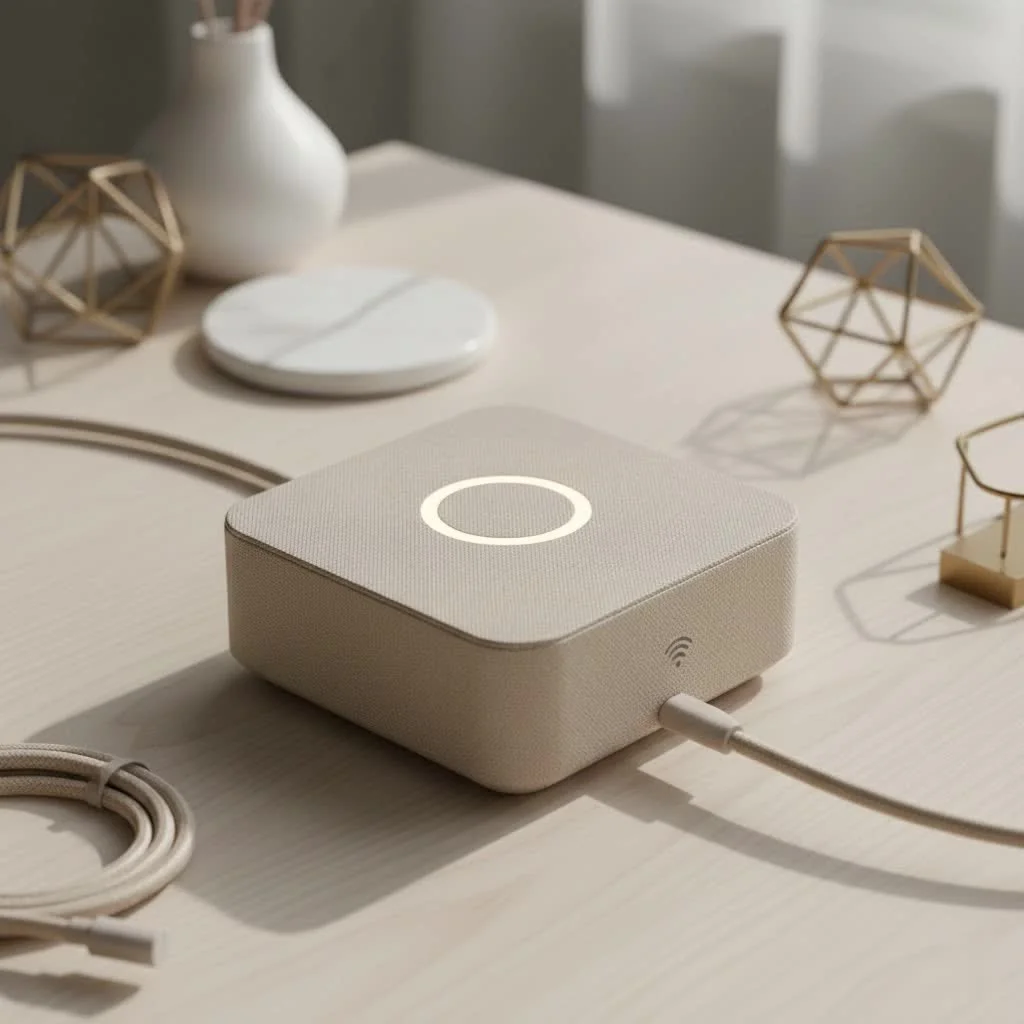
A WiFi extender, also known as a repeater or booster, is a device that captures the existing WiFi signal from your main router and rebroadcasts it to a larger area. Think of it as a relay station for your internet connection, pushing the signal into those hard-to-reach dead zones in and around your home.
Ring cameras, especially outdoor models like the Floodlight Cam or Spotlight Cam, are often installed at the very edge of a router’s range. Materials like brick, concrete, and even metal siding can severely degrade WiFi signals.
“A weak WiFi signal is the single most common point of failure for smart home security devices,” notes network analyst Michael Carter. “Users often don’t realize that their camera’s performance is being throttled by poor connectivity. An extender is a direct and effective solution.”
A weak connection to your Ring device can result in:
- Delayed motion alerts
- Pixelated or frozen live video feeds
- Failure to record events
- Constant offline notifications in the Ring app
- Rapid battery drain as the device works harder to stay connected
A dedicated wifi extender for a Ring camera solves this by creating a strong, stable bridge between your router and the camera, ensuring consistent performance.
Key Features to Look For in a WiFi Extender for Ring
Not all WiFi extenders are created equal, especially when it comes to supporting a video-streaming security camera. Here are the critical features to prioritize.
Dual-Band Connectivity (2.4 GHz and 5 GHz)
Ring cameras can operate on both 2.4 GHz and 5 GHz bands.
- 2.4 GHz: Offers longer range but has slower speeds and is more susceptible to interference from other household devices (microwaves, cordless phones).
- 5 GHz: Provides faster speeds and a more stable connection but has a shorter range.
A dual-band extender gives you the flexibility to connect your Ring camera to the best network. For a camera far from the router, the 2.4 GHz band is often the most reliable choice.
Compatibility and Ease of Setup
|
Our Picks for the Best Wifi Extender in 2026
As an Amazon Associate I earn from qualifying purchases.
|
||
| Num | Product | Action |
|---|---|---|
| 1 | Amazon eero 6+ mesh wifi system with 1 month free eero Plus (auto-renews) - Coverage up to 4,500 sq. ft., Connect 75+ devices, 3-pack |

|
| 2 | TP-Link AC1200 WiFi Extender, 2023 Engadget Best Budget Pick, 1.2Gbps Signal Booster for Home, Dual Band 5GHz/2.4GHz, Covers Up to 1500 Sq.ft and 30 Devices,Support Onemesh, One Ethernet Port (RE315) |
|
| 3 | WiFi Extender, WiFi Extenders Signal Booster for Home Up to 5000 sq.ft and 50 Devices, WiFi Range Extender, Wireless Repeater, Long Range Amplifier with Ethernet Port, 1-Tap Setup, Alexa Compatible |
|
| 4 | Amazon eero 7 with 1 month free eero Plus (auto-renews) - Supports internet plans up to 2.5 Gbps, Coverage up to 2,000 sq. ft., Connect 120+ devices, 1-pack |
|
| 5 | TP-Link AC1900 WiFi Range Extender RE550 - Dual-Band Wireless Repeater Amplifier w/Gigabit Ethernet Port - Up to 2200 Sq. Ft., 32 Devices - Internet Signal Booster - APP Setup - EasyMesh Compatible |
|
| 6 | 2025 Fastest WiFi Extender, WiFi Repeater, WiFi Booster, Covers Up to 10000 Sq.ft and 80 Devices, Internet Booster - with Ethernet Port, Quick Setup, Home Wireless Signal Booster |
|
| 7 | Amazon eero 6 mesh wifi extender with 1-month free eero Plus (auto-renews) - Add up to 1,500 sq. ft. of Wi-Fi 6 coverage to your existing eero mesh wifi network |
|
| 8 | WiFi Extender with 4 Antennas 1200Mbps - Dual Band 5GHz/2.4GHz, WiFi Extender Signal Booster with 3 Modes Support, WiFi Repeater with 12880 Sq.ft 105 Devices, Easy Set Up for Home |
|
| 9 | 2025 WiFi Extenders Signal Booster for Home Long Range Up to 9800 sq. ft & 40 Devices, WiFi Extender Signal Booster, Quick Setup-Medium, Internet Repeater, WiFi Extender |
|
| 10 | TP-Link AX3000 WiFi 6 Range Extender - PCMag Editor\'s Choice - Dual-Band Wireless Repeater w/Ethernet Port - Up to 2400 Sq. Ft., 64 Devices - Internet Signal Booster - APP Setup - EasyMesh (RE715X) |
|
Look for an extender with a simple setup process, usually managed through a web browser or a mobile app. WPS (Wi-Fi Protected Setup) buttons can make pairing the extender with your router a one-click process. Ensure the model you choose is universally compatible with all router brands.
Signal Strength and Coverage
The extender’s performance is measured in its potential coverage area (in square feet) and the strength of its antennas. For an outdoor Ring camera, you need an extender powerful enough to push a reliable signal through exterior walls. Check the device’s specifications for its maximum range and look for models with external antennas, which often provide better directional signal strength.
What About the Ring Chime Pro?
Ring offers its own solution: the Ring Chime Pro. It functions as a doorbell chime, a WiFi extender, and a nightlight all in one. While it’s designed specifically for Ring devices and offers seamless integration, it may not be the most powerful extender on the market. If you have multiple dead zones or need to cover a very large area, a dedicated third-party extender might be a more robust choice.
How to Set Up a WiFi Extender for Your Ring Camera
Connecting your devices is a straightforward process. Follow these steps to get your network up and running.
-
Initial Extender Setup:
- Plug the WiFi extender into a power outlet in the same room as your router.
- Follow the manufacturer’s instructions to connect the extender to your main WiFi network. This usually involves using a WPS button or connecting to the extender’s temporary network to configure it.
- During setup, you will create a new, extended network (e.g., “MyHomeNetwork_EXT”).
-
Optimal Placement:
- The key to success is placing the extender halfway between your router and your Ring camera.
- You need to find a spot where the extender can still receive a strong signal from the router. Most extenders have an indicator light that tells you if the connection to the router is good, fair, or poor. Aim for “good.”
-
Connect Your Ring Camera:
- Open the Ring app on your smartphone or tablet.
- Navigate to the Device Health section for the camera you want to connect.
- Select “Change Wi-Fi Network.”
- Follow the in-app instructions to put your Ring camera into setup mode.
- When your phone scans for available networks, select the new network created by your extender (e.g., “MyHomeNetwork_EXT”).
- Enter the password, and your camera will connect to the extended network.
-
Test the Connection:
- Once connected, go back to the Device Health page in the Ring app.
- Check the Signal Strength (RSSI) value. For optimal performance, you want an RSSI value of -60 or better (e.g., -55, -40).
- Test the Live View to ensure you have a clear, smooth video stream.
Top Recommended WiFi Extenders for Ring Cameras
| Model Name | Key Features | Best For |
|---|---|---|
| TP-Link RE650 | AC2600 speeds, 4 external antennas, large coverage area | Overall performance and large homes |
| Netgear Nighthawk X4 | AC2200 speeds, mesh capabilities, simple setup | Users who want powerful, seamless coverage |
| Ring Chime Pro | Designed for Ring, acts as a chime, easy integration | Simplicity and users deep in the Ring ecosystem |
| TP-Link RE220 | Compact plug-in design, affordable, dual-band | Small to medium homes on a budget |
Frequently Asked Questions (FAQ)
Can any WiFi extender work with a Ring camera?
Yes, virtually any modern WiFi extender is compatible with Ring devices. The key is choosing one with sufficient power and range to provide a stable signal to the camera’s location.
Will a WiFi extender slow down my internet speed?
An extender works by rebroadcasting a signal, which can inherently reduce bandwidth by up to 50%. However, for a Ring camera, a stable connection is more important than raw speed. A 50% slower but stable signal is far better than a 100% fast but unreliable one.
How do I know if I need a WiFi extender for my Ring Doorbell?
Go to the Device Health section in your Ring app and check the Signal Strength (RSSI). If the value is -65 or worse (e.g., -70, -80), or if you experience poor video quality and delayed notifications, you would benefit from an extender.
Is a mesh WiFi system better than an extender for Ring cameras?
A mesh WiFi system (like Google Nest WiFi or Eero) replaces your router entirely and uses multiple satellite “nodes” to create a single, seamless network throughout your home. Mesh systems are generally more powerful and provide better performance than extenders, but they are also more expensive. If you have many dead zones or a very large house, a mesh system is a superior solution. For a single problematic camera, an extender is a more cost-effective fix.
Can I connect multiple Ring cameras to one extender?
Yes, you can connect multiple cameras and other devices to a single WiFi extender, as long as the extender has enough bandwidth to support them all. Video streaming is data-intensive, so be sure not to overload it.
Final Thoughts: Secure Your Connection for Peace of Mind
A reliable security camera is only as good as its connection. Investing in a quality wifi extender for your Ring camera is one of the most effective ways to eliminate lag, poor video quality, and frustrating disconnects. By choosing a model that fits your home’s layout and following the proper setup steps, you can ensure your Ring device performs its job flawlessly, giving you the peace of mind you expect from your smart home security system.
Get our weekly buyer guide
Practical specs, not advice. Unsubscribe anytime.
This guide was really helpful in understanding why my Ring camera in the backyard kept struggling. I picked up a repeater mentioned for devices placed far from the router. It definitely boosted the signal, and the video quality is much better. My only minor complaint is that the initial pairing took a couple of tries, but once it connected, it’s been stable.
I bought an extender hoping to fix the weak signal for my Ring floodlight cam. It did improve things a bit, but I still get occasional disconnections, especially during heavy rain. I think my walls are just too thick. I might need to try a different model or reposition it again, but it wasn’t the complete fix I was hoping for.
I was so frustrated with my Ring doorbell constantly dropping offline, especially in the evenings. I followed the advice here and got one of the recommended extenders for outdoor cameras. Setup was a breeze, and now my doorbell has a solid connection all the time. No more missed alerts or choppy video, it’s a game changer for my home security.
My Ring Stick Up Cam was always buffering because it’s on the opposite side of the house from my router. This article explained exactly why a WiFi extender was essential. I got a dual-band model, and the difference is night and day. The live view loads instantly now, and I feel much more secure knowing my camera has a reliable connection.