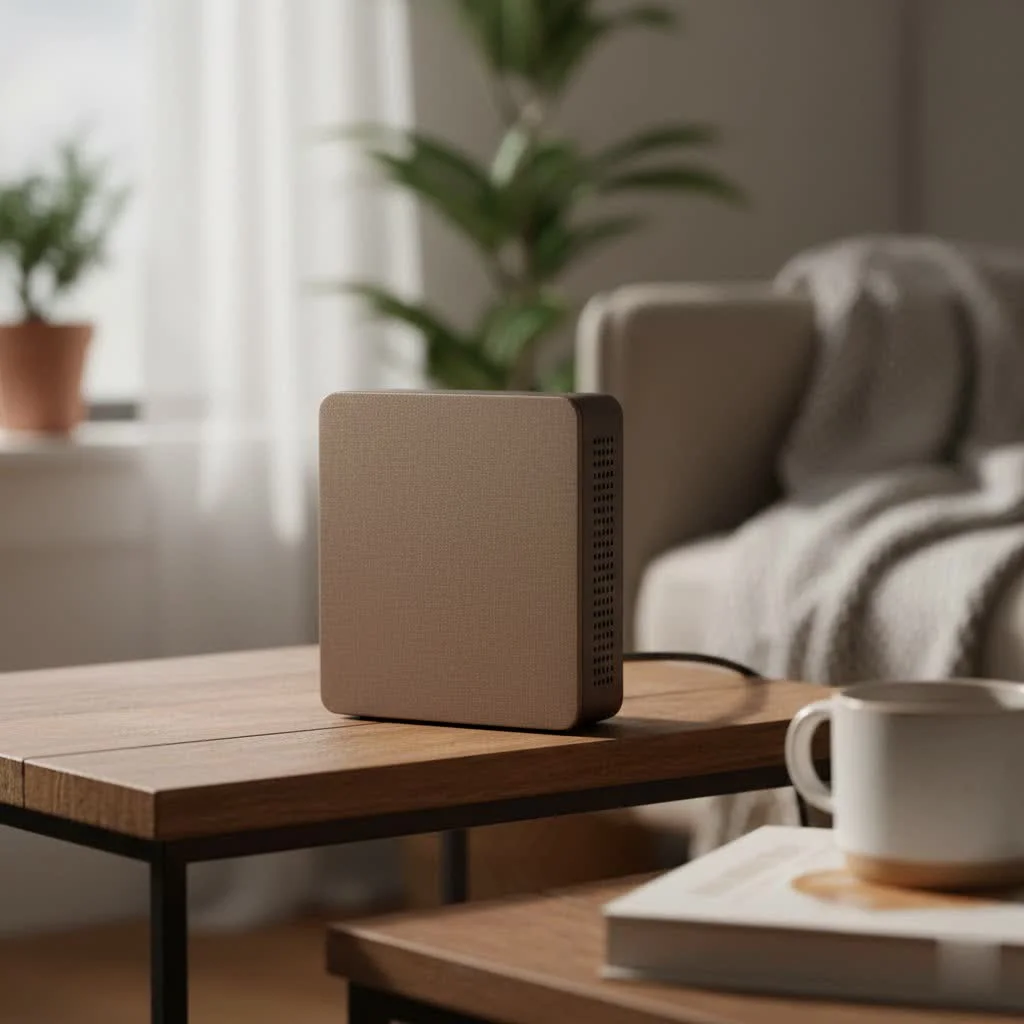
An AC1200 WiFi range extender significantly improves home network coverage by capturing your existing WiFi signal, amplifying it, and rebroadcasting it to eliminate dead zones. These dual-band devices offer a combined theoretical speed of 1200 Mbps, split between a 2.4 GHz band (up to 300 Mbps for range) and a 5 GHz band (up to 867 Mbps for speed), making them an effective and affordable solution for extending reliable internet access throughout your home.
What Does “AC1200” Actually Mean?
When you see “AC1200” on a piece of networking gear, it’s not just a random model number. It’s a performance indicator that tells you about its speed and capabilities. Let’s break it down:
- AC: This refers to the WiFi standard, specifically 802.11ac. It’s a robust and widely used standard that is much faster than its predecessors (like 802.11n). It’s the engine that allows for high-speed data transfer.
- 1200: This number represents the maximum theoretical speed of the device, measured in megabits per second (Mbps). However, this isn’t a single 1200 Mbps channel. Instead, an AC1200 extender operates on two separate frequencies, a technology known as dual-band.
The speed is split across these two bands:
- The 2.4 GHz Band: Offers speeds up to 300 Mbps. This band is excellent for covering long distances and penetrating through walls and other obstacles. It’s ideal for tasks like browsing the web and checking emails.
- The 5 GHz Band: Delivers higher speeds, up to 867 Mbps. While its range is shorter and less effective at getting through solid objects, it’s significantly faster and less prone to interference from other household devices. This band is perfect for bandwidth-intensive activities like HD video streaming, online gaming, and large file downloads.
By combining these two bands (300 + 867 ≈ 1200), you get the “AC1200” designation. This dual-band capability allows the extender to handle more devices and different types of traffic efficiently.
How a WiFi Range Extender Works
Think of a WiFi extender as a bridge. It captures the existing wireless signal from your main router, amplifies it, and then rebroadcasts it to the areas where the signal is weak or non-existent. The process is straightforward:
- You place the extender somewhere between your router and the dead zone.
- The extender connects to your existing WiFi network.
- It then creates a new, extended network for your devices to connect to, effectively boosting the signal’s reach.
As our Senior Network Engineer at TVCSP, David Chen, often explains, “The most common mistake people make is placement. Placing an extender in the dead zone itself gives it no signal to work with. The key is to place it where it can still receive a strong, stable signal from the main router, allowing it to extend that strong signal outward.”
Setting Up Your AC1200 WiFi Range Extender
One of the best things about modern WiFi extenders is their user-friendly setup. Most can be installed in just a few minutes. Here’s a typical step-by-step guide:
- Plug It In: Find a power outlet about halfway between your router and the area you want to cover. Most extenders have a smart signal indicator light that helps you find the sweet spot—not too close, not too far.
- Power On: Wait for the device to power up. You’ll usually see a power light turn solid.
- Connect for Setup: You can typically connect to the extender in one of two ways:
- WPS (Wi-Fi Protected Setup): This is the easiest method. Press the WPS button on your router, and then within two minutes, press the WPS button on your extender. The devices will automatically connect and configure themselves.
- Web Browser or App: If WPS isn’t an option, use your phone or laptop to connect to the extender’s default WiFi network (the name will be in the instruction manual). Then, open a web browser and navigate to the setup URL provided. Many brands, like TP-Link and Netgear, also have dedicated apps that walk you through the process.
- Configure Your Network: The setup wizard will ask you to select your existing WiFi network and enter its password. You will also be prompted to create a name (SSID) for your new, extended network. It’s often helpful to give it a name like “HomeWiFi_EXT” to easily distinguish it from your main network.
- Connect Your Devices: Once the extender reboots, you can connect your devices (laptops, phones, smart TVs) to the new extended network in the previously hard-to-reach areas.
Pros and Cons of an AC1200 Extender
While incredibly useful, it’s important to have realistic expectations. Here are the main advantages and disadvantages.
Advantages:
|
Our Picks for the Best Wifi Extender in 2026
As an Amazon Associate I earn from qualifying purchases.
|
||
| Num | Product | Action |
|---|---|---|
| 1 | TP-Link AC1200 WiFi Extender, 2023 Engadget Best Budget Pick, 1.2Gbps Signal Booster for Home, Dual Band 5GHz/2.4GHz, Covers Up to 1500 Sq.ft and 30 Devices,Support Onemesh, One Ethernet Port (RE315) |

|
| 2 | WiFi Extender with 4 Antennas 1200Mbps - Dual Band 5GHz/2.4GHz, WiFi Extender Signal Booster with 3 Modes Support, WiFi Repeater with 12880 Sq.ft 105 Devices, Easy Set Up for Home |
|
| 3 | 2025 WiFi Extenders Signal Booster for Home Long Range Up to 9800 sq. ft & 40 Devices, WiFi Extender Signal Booster, Quick Setup-Medium, Internet Repeater, WiFi Extender |
|
| 4 | Amazon eero 6 mesh wifi extender with 1-month free eero Plus (auto-renews) - Add up to 1,500 sq. ft. of Wi-Fi 6 coverage to your existing eero mesh wifi network |
|
| 5 | TP-Link AC1900 WiFi Range Extender RE550 - Dual-Band Wireless Repeater Amplifier w/Gigabit Ethernet Port - Up to 2200 Sq. Ft., 32 Devices - Internet Signal Booster - APP Setup - EasyMesh Compatible |
|
| 6 | Amazon eero 6+ mesh wifi system with 1 month free eero Plus (auto-renews) - Coverage up to 4,500 sq. ft., Connect 75+ devices, 3-pack |
|
| 7 | 2025 Fastest WiFi Extender, WiFi Repeater, WiFi Booster, Covers Up to 10000 Sq.ft and 80 Devices, Internet Booster - with Ethernet Port, Quick Setup, Home Wireless Signal Booster |
|
| 8 | Amazon eero 7 with 1 month free eero Plus (auto-renews) - Supports internet plans up to 2.5 Gbps, Coverage up to 2,000 sq. ft., Connect 120+ devices, 1-pack |
|
| 9 | WiFi Extender, WiFi Extenders Signal Booster for Home Up to 5000 sq.ft and 50 Devices, WiFi Range Extender, Wireless Repeater, Long Range Amplifier with Ethernet Port, 1-Tap Setup, Alexa Compatible |
|
| 10 | TP-Link AX3000 WiFi 6 Range Extender - PCMag Editor\'s Choice - Dual-Band Wireless Repeater w/Ethernet Port - Up to 2400 Sq. Ft., 64 Devices - Internet Signal Booster - APP Setup - EasyMesh (RE715X) |
|
- Cost-Effective: They are much cheaper than buying a new, more powerful router or investing in a full mesh WiFi system.
- Eliminates Dead Zones: Their primary purpose is to bring a reliable signal to every room, and they do it well.
- Easy to Install: As outlined above, the setup process is typically painless and quick.
- Universal Compatibility: AC1200 extenders work with virtually any standard WiFi router, so you don’t need to worry about brand matching.
- Ethernet Port: Most models include an Ethernet port, allowing you to connect a wired device like a gaming console or smart TV for an even more stable connection.
Disadvantages:
- Potential Speed Reduction: Because an extender has to receive and then rebroadcast the signal, it can effectively cut the available bandwidth in half. While an AC1200 extender is fast, the speed you get on the extended network will be less than what you get when connected directly to your main router.
- Separate Network: Traditionally, extenders create a separate network that you have to manually switch to. However, newer models with “mesh” or “OneMesh” technology can create a seamless network with a single name when paired with a compatible router.
Tips for Maximum Performance
To get the most out of your AC1200 WiFi range extender, follow these best practices:
- Optimal Placement is Crucial: Use the device’s signal indicator light. You want to find a spot where the light shows a strong connection to the router.
- Avoid Obstructions: Place the extender in an open area, away from thick concrete walls, metal objects, and appliances like microwaves that can interfere with the signal.
- Use the Right Band: Connect devices that need high speed (like your streaming stick or game console) to the 5 GHz band. Use the 2.4 GHz band for devices that are further away or don’t require as much bandwidth.
- Update Firmware: Periodically check the manufacturer’s website or app for firmware updates. These updates can improve performance, add new features, and patch security vulnerabilities.
- Leverage Access Point Mode: If you can run an Ethernet cable from your router to the dead zone, you can switch many AC1200 extenders to Access Point (AP) mode. In this mode, it creates a new, full-speed WiFi hotspot, avoiding the bandwidth loss associated with traditional extending.
Frequently Asked Questions (FAQ)
What is the range of an AC1200 WiFi extender?
The range varies by model and home environment but can typically add up to 1,500 square feet of coverage. Walls, floors, and interference can reduce this range.
Will an AC1200 extender increase my internet speed?
No, an extender cannot increase the speed of your internet plan. Its job is to extend the coverage of your WiFi signal, not to make your internet connection faster than what you pay your provider for.
Can I use multiple WiFi extenders in my home?
Yes, you can use more than one extender, but it can create network complications and further reduce speeds. For very large homes with persistent dead zones, a Mesh WiFi system is often a better, though more expensive, solution.
Does an AC1200 extender work with older devices?
Yes, AC1200 extenders are backward-compatible with older WiFi standards like 802.11n, g, and b, so your older devices will be able to connect without any issues.
Is an AC1200 extender secure?
Yes, they support modern security standards like WPA2. During setup, the extender will adopt the same security settings and password as your main router, ensuring your extended network is just as secure.
The Final Verdict
For the vast majority of homes struggling with WiFi dead zones, an AC1200 WiFi range extender is an excellent and affordable solution. It provides the speed needed for modern streaming and gaming while extending your network’s reach into every corner of your living space. By understanding how to place it correctly and configure it for optimal performance, you can say goodbye to buffering and hello to a seamless, stable connection. It’s a small investment that delivers a significant improvement in your daily digital life.
Frequently Asked Questions
What is the typical range an AC1200 WiFi extender can cover?
An AC1200 WiFi extender can typically add up to 1,500 square feet of coverage to your existing network. However, actual range can vary based on environmental factors like walls, floors, and interference from other devices.
Will an AC1200 WiFi extender increase my overall internet speed?
No, an AC1200 WiFi extender will not increase your internet plan's speed. Its primary function is to extend the coverage of your existing WiFi signal, allowing you to access your current internet speed in previously unreachable areas of your home.
Is it possible to use more than one WiFi extender in a single home?
Yes, you can use multiple WiFi extenders in your home, but this can sometimes lead to network complications and further speed reductions. For very large homes with persistent dead zones, a Mesh WiFi system is often a more effective, albeit more expensive, solution.
Are AC1200 WiFi extenders compatible with older WiFi devices?
Yes, AC1200 extenders are backward-compatible with older WiFi standards such as 802.11n, g, and b. This ensures that your older devices, like laptops or smart TVs, will be able to connect to the extended network without any compatibility issues.
How secure is an AC1200 WiFi range extender for my home network?
AC1200 WiFi extenders support modern security standards, including WPA2, ensuring your network is secure. During the setup process, the extender adopts the same security settings and password as your main router, maintaining consistent protection across your extended network.
Get our weekly buyer guide
Practical specs, not advice. Unsubscribe anytime.
My old 802.11n extender just wasn’t cutting it anymore. Upgrading to an AC1200 was a smart move. The dual-band feature is great; I use the 2.4 GHz for my smart home devices and the 5 GHz for my laptop. It’s a solid improvement for the price.
This device totally eliminated the WiFi black hole in my basement. Before, I couldn’t get any signal down there, but now it’s strong and consistent. The combined theoretical speed of 1200 Mbps is definitely noticeable, especially when multiple devices are connected. Highly recommend for anyone struggling with coverage.
I was so tired of dead zones in my house, especially in the back bedroom. This AC1200 extender really made a difference! Now I can stream movies without buffering, even on the 5 GHz band. Setup was surprisingly easy too, which was a huge relief.
It definitely helped extend the signal to my garage, which was a major problem area. However, I noticed the speed isn’t quite the 867 Mbps on the 5 GHz band that I was hoping for when I’m further away. It’s good for basic browsing, but heavy gaming still has some lag.