A long range WiFi extender for outdoor use captures your existing router’s signal, amplifies it, and rebroadcasts it across a wider outdoor area, typically reaching 100-300 feet in a suburban setting. These devices are specifically designed with weatherproof casings (IP65 or higher) and powerful antennas to withstand elements like dust and rain while extending network boundaries beyond your home.
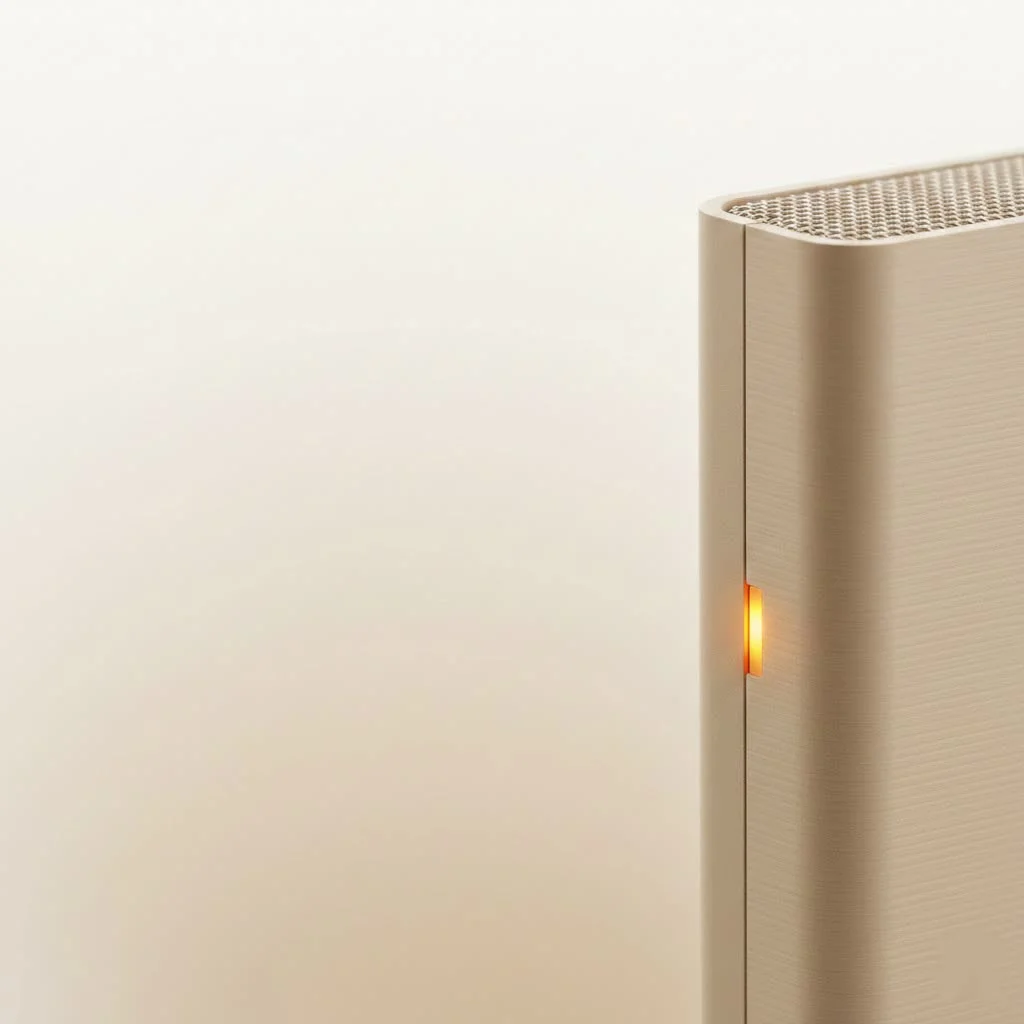
As a network specialist at TVCSP, I’ve spent over a decade helping people conquer WiFi dead zones, and outdoor spaces are the final frontier for many. This guide will walk you through everything you need to know, from choosing the right device to optimizing its performance for maximum coverage. For best wifi extenders roundups on this site.
What is an Outdoor WiFi Extender and Why Do You Need One?
An outdoor WiFi extender, at its core, is a device that captures your existing router’s wireless signal, amplifies it, and rebroadcasts it over a wider area. However, it’s a far cry from its indoor cousin. A long range wifi extender outdoor unit is engineered to be a durable and powerful piece of equipment.
The primary difference lies in its construction. These extenders feature weatherproof casings with IP (Ingress Protection) ratings, like IP65 or higher, which protect the internal electronics from dust, rain, and extreme temperatures. They also pack more powerful amplifiers and high-gain antennas to transmit the signal over much larger distances than indoor models can achieve.
You might need one if you’re experiencing:
- Buffering on security cameras in your yard or garage.
- Weak or non-existent WiFi on your deck, patio, or pool area.
- The need for internet access in an outbuilding, like a workshop, barn, or guest house.
- A desire to provide WiFi coverage across a large property or even for an outdoor event.
Key Features to Look For in an Outdoor Extender
Choosing the right device can feel overwhelming with all the technical jargon out there. Let’s break down the most important features to consider.
Weatherproofing (IP Rating)
This is non-negotiable for an outdoor device. The IP rating consists of two numbers. The first indicates protection against solids (like dust), and the second indicates protection against liquids (like water). For outdoor use, look for a rating of at least IP65. This ensures the device is dust-tight and can withstand water jets from any direction, making it safe from rain and sprinklers.
Coverage Range and Antenna Type
Manufacturers often advertise impressive range capabilities, sometimes up to several hundred feet or more. It’s crucial to understand that these are typically “line-of-sight” measurements. Obstacles like walls, trees, and other buildings will reduce the effective range.
- Omni-directional antennas broadcast the signal in a 360-degree radius, which is ideal for covering a wide, open area like a backyard.
- Directional antennas focus the signal in a specific direction, perfect for creating a strong, point-to-point link between two buildings.
WiFi Standard and Speed
|
Our Picks for the Best Wifi Extender in 2026
As an Amazon Associate I earn from qualifying purchases.
|
||
| Num | Product | Action |
|---|---|---|
| 1 | 2025 Fastest WiFi Extender, WiFi Repeater, WiFi Booster, Covers Up to 10000 Sq.ft and 80 Devices, Internet Booster - with Ethernet Port, Quick Setup, Home Wireless Signal Booster |

|
| 2 | WiFi Extender, WiFi Extenders Signal Booster for Home Up to 5000 sq.ft and 50 Devices, WiFi Range Extender, Wireless Repeater, Long Range Amplifier with Ethernet Port, 1-Tap Setup, Alexa Compatible |
|
| 3 | TP-Link AC1200 WiFi Extender, 2023 Engadget Best Budget Pick, 1.2Gbps Signal Booster for Home, Dual Band 5GHz/2.4GHz, Covers Up to 1500 Sq.ft and 30 Devices,Support Onemesh, One Ethernet Port (RE315) |
|
| 4 | Amazon eero 6+ mesh wifi system with 1 month free eero Plus (auto-renews) - Coverage up to 4,500 sq. ft., Connect 75+ devices, 3-pack |
|
| 5 | Amazon eero 7 with 1 month free eero Plus (auto-renews) - Supports internet plans up to 2.5 Gbps, Coverage up to 2,000 sq. ft., Connect 120+ devices, 1-pack |
|
| 6 | WiFi Extender with 4 Antennas 1200Mbps - Dual Band 5GHz/2.4GHz, WiFi Extender Signal Booster with 3 Modes Support, WiFi Repeater with 12880 Sq.ft 105 Devices, Easy Set Up for Home |
|
| 7 | TP-Link AX3000 WiFi 6 Range Extender - PCMag Editor\'s Choice - Dual-Band Wireless Repeater w/Ethernet Port - Up to 2400 Sq. Ft., 64 Devices - Internet Signal Booster - APP Setup - EasyMesh (RE715X) |
|
| 8 | 2025 WiFi Extenders Signal Booster for Home Long Range Up to 9800 sq. ft & 40 Devices, WiFi Extender Signal Booster, Quick Setup-Medium, Internet Repeater, WiFi Extender |
|
| 9 | TP-Link AC1900 WiFi Range Extender RE550 - Dual-Band Wireless Repeater Amplifier w/Gigabit Ethernet Port - Up to 2200 Sq. Ft., 32 Devices - Internet Signal Booster - APP Setup - EasyMesh Compatible |
|
| 10 | Amazon eero 6 mesh wifi extender with 1-month free eero Plus (auto-renews) - Add up to 1,500 sq. ft. of Wi-Fi 6 coverage to your existing eero mesh wifi network |
|
Just like routers, extenders use different WiFi standards. WiFi 5 (802.11ac) is common and provides excellent speeds for most activities. However, for future-proofing and top-tier performance, consider a WiFi 6 (802.11ax) model. WiFi 6 is more efficient, handles multiple devices better, and offers faster potential speeds, which is crucial for demanding tasks like streaming 4K video or online gaming.
Power over Ethernet (PoE)
Finding a power outlet in the perfect outdoor location can be a challenge. Power over Ethernet (PoE) solves this problem elegantly. A PoE-compatible extender receives both power and data through a single Ethernet cable connected to a PoE injector or switch indoors. This dramatically simplifies installation, allowing you to mount the device exactly where you’ll get the best signal coverage without worrying about running electrical wiring.
As networking expert David Chen notes, “PoE is a major upgrade for outdoor installations. It offers flexibility in placement that is often critical for overcoming physical obstructions and achieving optimal signal strength.”
How to Install Your Long Range WiFi Extender Outdoor
Once you have the right device, proper installation is key to unlocking its full potential. Follow these steps for a successful setup.
- Find the Sweet Spot: The goal is to place the extender where it can still receive a strong, stable signal from your indoor router but is close enough to the outdoor area you want to cover. Use a smartphone or laptop to test the signal strength from your router at various potential locations. Aim for a spot that gets at least three out of four bars of signal.
- Mount the Device Securely: Most outdoor extenders come with mounting kits for poles or walls. For the best performance, mount the device high up—ideally 6 to 8 feet off the ground—and free from major obstructions. This helps the signal travel farther with less interference.
- Connect the Cables: If using PoE, run an outdoor-rated Ethernet cable from your indoor PoE injector or switch to the extender. Ensure all connections are snug and use the weatherproof seals that come with the device to protect the RJ45 port from moisture.
- Configure the Extender: Follow the manufacturer’s instructions to configure the device. This usually involves connecting to its network via a phone or computer, accessing a web-based setup wizard, and connecting it to your main router’s network. Be sure to give it a network name (SSID) and set a strong password.
- Test Your New Outdoor Network: Once configured, connect a device to the extender’s new network and walk around the desired coverage area. Stream a video or run a speed test to ensure you have a stable and fast connection.
Pro Tips for Optimal Performance
- Minimize Obstructions: The fewer walls, trees, or metal objects the signal has to pass through, the better. A clear line of sight is always best.
- Angle the Antennas: If your extender has adjustable antennas, experiment with their positioning. For omni-directional antennas, a vertical orientation is usually best for broad horizontal coverage.
- Update Firmware: Regularly check for and install firmware updates from the manufacturer. These updates often include performance improvements, security patches, and new features.
Frequently Asked Questions (FAQ)
What is the difference between an outdoor extender and an outdoor access point?
While often used interchangeably, an access point (AP) typically connects to your main network via an Ethernet cable, creating a new WiFi hotspot. An extender (or repeater) connects wirelessly to your router to rebroadcast the signal. Many modern outdoor devices can function in multiple modes, including as an AP, extender, or bridge. For the most reliable long-range performance, using the device in AP mode with a wired connection back to the router is superior.
How far can a long range wifi extender outdoor really reach?
The effective range depends on many factors, including the device’s power, antenna gain, WiFi standard, and environmental interference. In ideal line-of-sight conditions, some high-end models can reach over 500 feet or more. However, for a typical suburban backyard with some trees and obstacles, a range of 100-300 feet is a more realistic expectation.
Can I use an indoor WiFi extender outside?
It is strongly discouraged. Indoor extenders are not built to withstand moisture, dust, or temperature fluctuations. Using one outdoors will likely lead to damage and a very short lifespan for the device.
Do outdoor extenders need their own password?
Yes. During setup, you will configure a network name (SSID) and password for the extended network. For security, always use WPA2 or WPA3 encryption and a strong, unique password.
Take Your WiFi Beyond the Walls
Expanding your internet access into your outdoor living spaces transforms how you can work, play, and connect. A long range wifi extender outdoor is a powerful and essential tool for breaking free from the constraints of your indoor router. By prioritizing key features like weatherproofing, range, and PoE, and by following proper installation practices, you can create a seamless and reliable network that covers every corner of your property. Stop tolerating dead zones and start enjoying the freedom of truly comprehensive WiFi coverage.
Frequently Asked Questions
What is the difference between an outdoor extender and an outdoor access point?
An outdoor access point (AP) typically connects to your main network via an Ethernet cable, creating a new WiFi hotspot. An extender connects wirelessly to your router to rebroadcast the signal. For the most reliable long-range performance, using the device in AP mode with a wired connection back to the router is superior.
How far can an outdoor long-range WiFi extender realistically reach?
The effective range depends on factors like device power, antenna gain, and environmental interference. In ideal line-of-sight conditions, some high-end models can reach over 500 feet. However, for a typical suburban backyard with obstacles, a range of 100-300 feet is a more realistic expectation.
Is it safe to use an indoor WiFi extender outside?
No, it is strongly discouraged to use an indoor WiFi extender outside. Indoor extenders are not built to withstand moisture, dust, or temperature fluctuations, which will likely lead to damage and a very short lifespan for the device.
Do outdoor WiFi extenders require a separate password for their network?
Yes, during setup, you will configure a network name (SSID) and password for the extended network. For security, always use WPA2 or WPA3 encryption and a strong, unique password to protect your outdoor network.
What IP rating is essential for an outdoor WiFi extender?
For outdoor use, an IP rating of at least IP65 is essential. This rating ensures the device is dust-tight and can withstand water jets from any direction, making it safe from rain and sprinklers, protecting its internal electronics.
Install Your Long Range WiFi Extender Outdoor
Proper installation is key to unlocking the full potential of your outdoor WiFi extender. Follow these steps for a successful setup and optimal performance.
Place the extender where it receives a strong, stable signal from your indoor router while being close enough to the outdoor area you want to cover. Use a smartphone or laptop to test signal strength, aiming for at least three out of four bars.
Most outdoor extenders include mounting kits for poles or walls. For best performance, mount the device high up, ideally 6 to 8 feet off the ground, and free from major obstructions. This helps the signal travel farther with less interference.
If using Power over Ethernet (PoE), run an outdoor-rated Ethernet cable from your indoor PoE injector or switch to the extender. Ensure all connections are snug and use the provided weatherproof seals to protect the RJ45 port from moisture.
Follow the manufacturer's instructions to configure the device, typically involving connecting to its network via a phone or computer. Access a web-based setup wizard to connect it to your main router's network, then set a network name (SSID) and a strong password.
Once configured, connect a device to the extender's new network and walk around the desired coverage area. Stream a video or run a speed test to ensure you have a stable and fast connection across your outdoor space.
Get our weekly buyer guide
Practical specs, not advice. Unsubscribe anytime.
I got an outdoor extender hoping to cover my entire property, which is a bit larger than a typical suburban lot. While it definitely boosted the signal significantly, I’m still getting some weak spots at the very edge of my yard, probably around 280 feet out. It’s good for most uses, but I was hoping for that full 300-foot reach. The IP65 rating is solid though.
We’ve been wanting to set up an outdoor projector for movie nights, but our WiFi was always too weak. After reading about the powerful antennas, I invested in one of the recommended devices. Now we have perfect signal for streaming even at the far end of our garden. It’s made such a difference for our family gatherings.
I finally pulled the trigger on one of these outdoor extenders for my backyard, and it’s a game-changer. My old setup barely reached the patio, but now I’m getting solid WiFi all the way to the fire pit, about 150 feet out. The weatherproof casing is definitely a plus, especially with the unpredictable weather we get here. Setup was surprisingly straightforward too.
This guide really helped me understand what to look for. I ended up getting a model that promised about 250 feet of range, and it delivers pretty close to that. My kids can now stream movies by the pool without any buffering, which is a huge win. I wish the power cable was a little longer, but that’s a minor quibble.