Are you tired of Wi-Fi dead zones in your own home? It’s a modern frustration we all know too well—the signal is perfect in the living room but vanishes the moment you step into the bedroom or head out to the patio. If you’re searching for a “wifi extender near me,” you’re on the right track to solving this problem for good. You need a reliable solution, and you need it now. As the lead content creator at TVCSP with over 15 years of hands-on experience, I’m here to guide you through not just finding a device locally, but choosing the perfect one to finally kill those dead spots.
Where Can I Find a Wi-Fi Extender Near Me Today?
When you need an immediate fix, buying online and waiting for shipping isn’t an option. Luckily, Wi-Fi extenders are common consumer electronics available at most major retailers. Your best bet is to check the stock at one of these local stores:
- Electronics Superstores: Places like Best Buy are your top destination. They have a dedicated networking section with a wide variety of models and knowledgeable staff who can help answer specific questions. You can see the products firsthand and compare different sizes and features.
- Big-Box Retailers: Stores such as Walmart and Target have a solid selection of the most popular Wi-Fi extenders. While the range might be smaller than a specialized electronics store, they almost always carry reliable, best-selling models from trusted brands.
- Office Supply Stores: Don’t overlook chains like Staples or Office Depot. They cater to small and home offices, making them a great place to find networking gear, including a variety of Wi-Fi range extenders.
- Wholesale Clubs: If you have a membership to Costco or Sam’s Club, check their electronics aisle. They often carry high-performance models, sometimes in a two-pack, which can offer great value.
Before you head out, it’s a smart idea to check the store’s website for in-store availability. This can save you a trip and confirm that the model you’re interested in is in stock.
What Should I Know Before Buying a Wi-Fi Extender?
Walking into a store without a plan can be overwhelming. To make the right choice, you need to know a little bit about your current setup. Here’s a quick checklist to run through before you leave the house:
- Know Your Router’s Brand and Model: This helps ensure compatibility. More importantly, you should know its Wi-Fi standard (e.g., Wi-Fi 5 or AC, Wi-Fi 6 or AX). Buying a Wi-Fi 6 extender for a Wi-Fi 6 router will give you the best performance.
- Identify the Dead Zones: Where does your signal drop? Knowing the location and approximate distance from the router will help you determine how powerful an extender you need.
- Check Your Internet Speed: Run a quick speed test near your router. You’ll want an extender that can handle your internet plan’s speed, otherwise, it will become a bottleneck.
- Consider Your Home’s Layout: Walls, especially those made of brick or concrete, are Wi-Fi killers. The more obstacles you have, the more important a powerful extender becomes.
As our lead network engineer at TVCSP, David Chen, often says, “Buying a Wi-Fi extender without knowing your router is like buying new tires without knowing your car’s model. You might get lucky, but you’re more likely to create a performance bottleneck.”
How a Wi-Fi Extender Banishes Dead Zones
So, what exactly does a Wi-Fi extender do? Think of your router as a radio station broadcasting a signal. The farther you get from the station, the weaker the signal becomes, until it’s just static. A Wi-Fi extender acts like a relay station. You place it somewhere between your router and your dead zone. It captures the existing Wi-Fi signal, amplifies it, and then rebroadcasts it to the areas that were previously out of reach.
This simple concept is incredibly effective for extending the coverage of your network without the hassle of running wires.
Key Types of Extenders You’ll See in Stores
|
Our Picks for the Best Wifi Extender in 2026
As an Amazon Associate I earn from qualifying purchases.
|
||
| Num | Product | Action |
|---|---|---|
| 1 | WiFi Extender, WiFi Extenders Signal Booster for Home Up to 5000 sq.ft and 50 Devices, WiFi Range Extender, Wireless Repeater, Long Range Amplifier with Ethernet Port, 1-Tap Setup, Alexa Compatible |

|
| 2 | WiFi Extender with 4 Antennas 1200Mbps - Dual Band 5GHz/2.4GHz, WiFi Extender Signal Booster with 3 Modes Support, WiFi Repeater with 12880 Sq.ft 105 Devices, Easy Set Up for Home |
|
| 3 | 2025 Fastest WiFi Extender, WiFi Repeater, WiFi Booster, Covers Up to 10000 Sq.ft and 80 Devices, Internet Booster - with Ethernet Port, Quick Setup, Home Wireless Signal Booster |
|
| 4 | TP-Link AC1200 WiFi Extender, 2023 Engadget Best Budget Pick, 1.2Gbps Signal Booster for Home, Dual Band 5GHz/2.4GHz, Covers Up to 1500 Sq.ft and 30 Devices,Support Onemesh, One Ethernet Port (RE315) |
|
| 5 | Amazon eero 7 with 1 month free eero Plus (auto-renews) - Supports internet plans up to 2.5 Gbps, Coverage up to 2,000 sq. ft., Connect 120+ devices, 1-pack |
|
| 6 | 2025 WiFi Extenders Signal Booster for Home Long Range Up to 9800 sq. ft & 40 Devices, WiFi Extender Signal Booster, Quick Setup-Medium, Internet Repeater, WiFi Extender |
|
| 7 | Amazon eero 6 mesh wifi extender with 1-month free eero Plus (auto-renews) - Add up to 1,500 sq. ft. of Wi-Fi 6 coverage to your existing eero mesh wifi network |
|
| 8 | TP-Link AC1900 WiFi Range Extender RE550 - Dual-Band Wireless Repeater Amplifier w/Gigabit Ethernet Port - Up to 2200 Sq. Ft., 32 Devices - Internet Signal Booster - APP Setup - EasyMesh Compatible |
|
| 9 | Amazon eero 6+ mesh wifi system with 1 month free eero Plus (auto-renews) - Coverage up to 4,500 sq. ft., Connect 75+ devices, 3-pack |
|
| 10 | TP-Link AX3000 WiFi 6 Range Extender - PCMag Editor\'s Choice - Dual-Band Wireless Repeater w/Ethernet Port - Up to 2400 Sq. Ft., 64 Devices - Internet Signal Booster - APP Setup - EasyMesh (RE715X) |
|
When you’re browsing the aisle, you’ll primarily encounter two form factors:
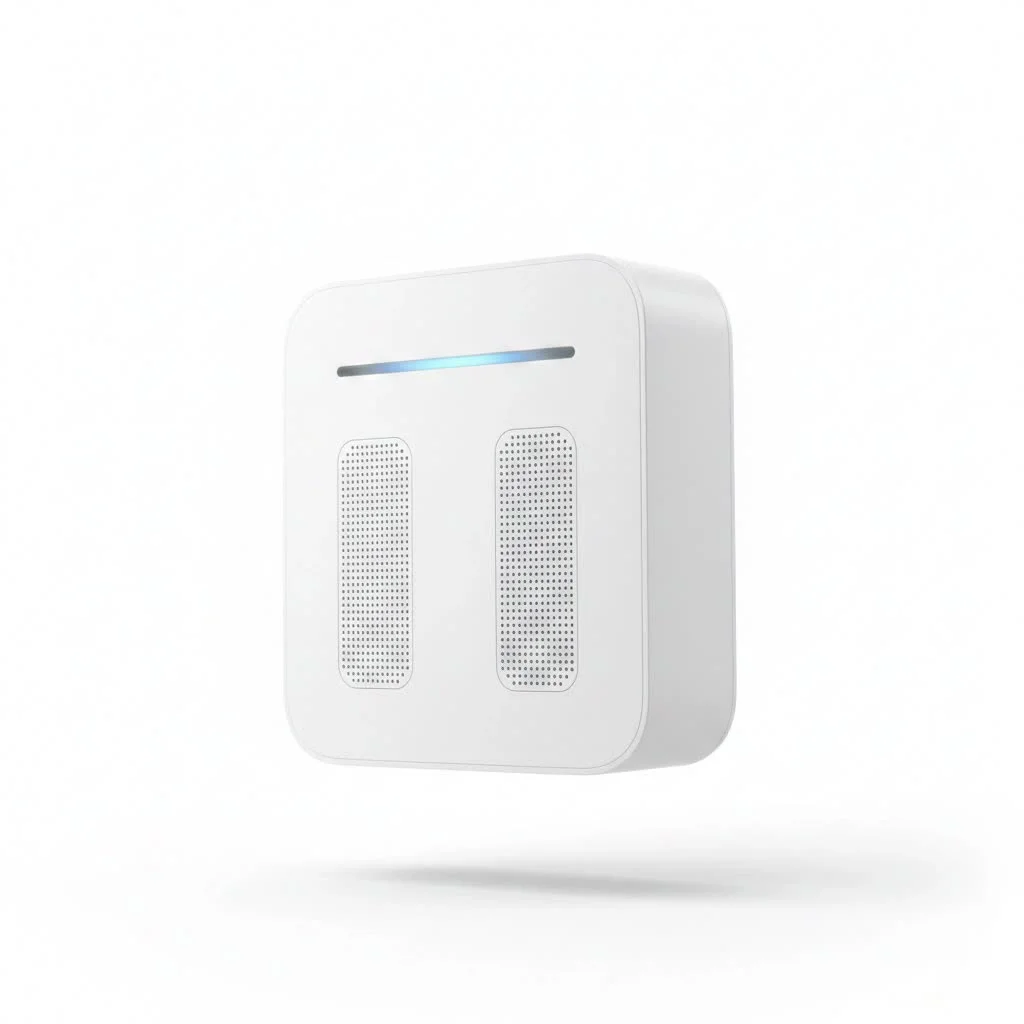
- Wall Plug-In Extenders: These are the most common type. They are compact devices that plug directly into a power outlet. They are discreet, easy to install, and perfect for most homes.
- Desktop Extenders: These are larger units that look like small routers. They typically have more powerful antennas and more features, including Ethernet ports for connecting wired devices like gaming consoles or smart TVs.
How to Choose the Right Wi-Fi Extender In-Store
With your checklist in hand, you’re ready to pick a device off the shelf. Here are the technical specifications to look for on the box to ensure you’re getting a quality product.
Wi-Fi Standards: The Most Important Factor
The Wi-Fi standard determines the speed and efficiency of the device. Look for these terms:
- Wi-Fi 6 (or AX): This is the latest mainstream standard. If your router is Wi-Fi 6, you should absolutely buy a Wi-Fi 6 extender to take full advantage of its speed and ability to handle many devices at once.
- Wi-Fi 5 (or AC): This is still a very capable and common standard. If your router is Wi-Fi 5, an AC extender is a perfect, cost-effective match.
Dual-Band vs. Tri-Band
- Dual-Band: A dual-band extender uses two separate bands: a 2.4 GHz band (slower, but with longer range) and a 5 GHz band (faster, but with shorter range). It uses one of these bands to communicate with the router and the other to communicate with your devices, which helps reduce congestion.
- Tri-Band: A tri-band extender has one 2.4 GHz band and two 5 GHz bands. It dedicates one of the 5 GHz bands solely for communication back to the router (this is called a “dedicated backhaul”). This significantly improves performance and is ideal for high-demand activities like 4K streaming and online gaming.
Easy Setup Features
Look for a mention of “WPS” or “One-Button Setup.” WPS (Wi-Fi Protected Setup) allows you to connect the extender to your router by simply pressing a button on both devices, making installation incredibly simple for non-technical users.
Step-by-Step: Setting Up Your New Wi-Fi Extender
You’ve found the perfect wifi extender near you and brought it home. Now what? The setup is usually straightforward.
- Unbox and Plug It In: Find a power outlet about halfway between your router and the Wi-Fi dead zone.
- Wait for the Power Light: Give it a minute to boot up. The power light should turn solid.
- Use WPS for Quick Setup: Press the WPS button on your router, and then within two minutes, press the WPS button on your extender. The lights should blink and then turn solid, indicating a successful connection.
- Configure Manually (If Needed): If WPS doesn’t work, you can use your phone or laptop to connect to the extender’s temporary Wi-Fi network (the name will be in the manual). From there, a web browser-based setup wizard will guide you through connecting to your main home network.
- Relocate for Optimal Performance: Once connected, most extenders have a signal strength indicator light. Unplug the extender and move it around to find the “sweet spot”—a location where the light indicates a strong connection back to the router. This is the most critical step for getting the best performance.
Frequently Asked Questions (FAQ)
Will a Wi-Fi extender slow down my internet?
An extender inherently adds a small amount of latency because it has to receive and then retransmit the signal. However, a modern dual-band or tri-band extender minimizes this effect. The speed you get in the dead zone will be massively faster than what you had before, even if it’s slightly less than the speed right next to your router.
How far should a Wi-Fi extender be from the router?
The ideal location is roughly halfway between your router and the area you want to cover. It needs to be close enough to the router to pick up a strong, stable signal to rebroadcast. Most extenders have an indicator light to help you find this perfect spot.
Can I use a Wi-Fi extender from a different brand than my router?
Yes! Wi-Fi is a universal standard. A Netgear extender will work perfectly with a Linksys router, and a TP-Link extender will work with an ASUS router. You do not need to match brands.
What’s the difference between a Wi-Fi extender and a Mesh Wi-Fi system?
A Wi-Fi extender simply repeats an existing signal. A Mesh Wi-Fi system replaces your current router with multiple “nodes” that work together to create a single, seamless Wi-Fi network throughout your home. Mesh systems are generally more powerful and easier to manage but are also more expensive.
Does a Wi-Fi extender create a new network name?
By default, many extenders create a new network name (SSID), often by adding _EXT to your existing network name. However, most modern extenders allow you to use the same name and password as your main network, which allows your devices to transition between them more smoothly.
Your Search for a Wi-Fi Extender Ends Today
The frustration of a weak Wi-Fi signal doesn’t have to be a permanent problem. By understanding what to look for and where to shop, your search for a “wifi extender near me” can be a quick and successful mission. Head to your local electronics or big-box store, use this guide to choose the right device for your needs, and enjoy seamless connectivity in every corner of your home tonight. Don’t let dead zones dictate where you can work or relax—take control of your Wi-Fi and make your entire home a connected sanctuary.
Get our weekly buyer guide
Practical specs, not advice. Unsubscribe anytime.