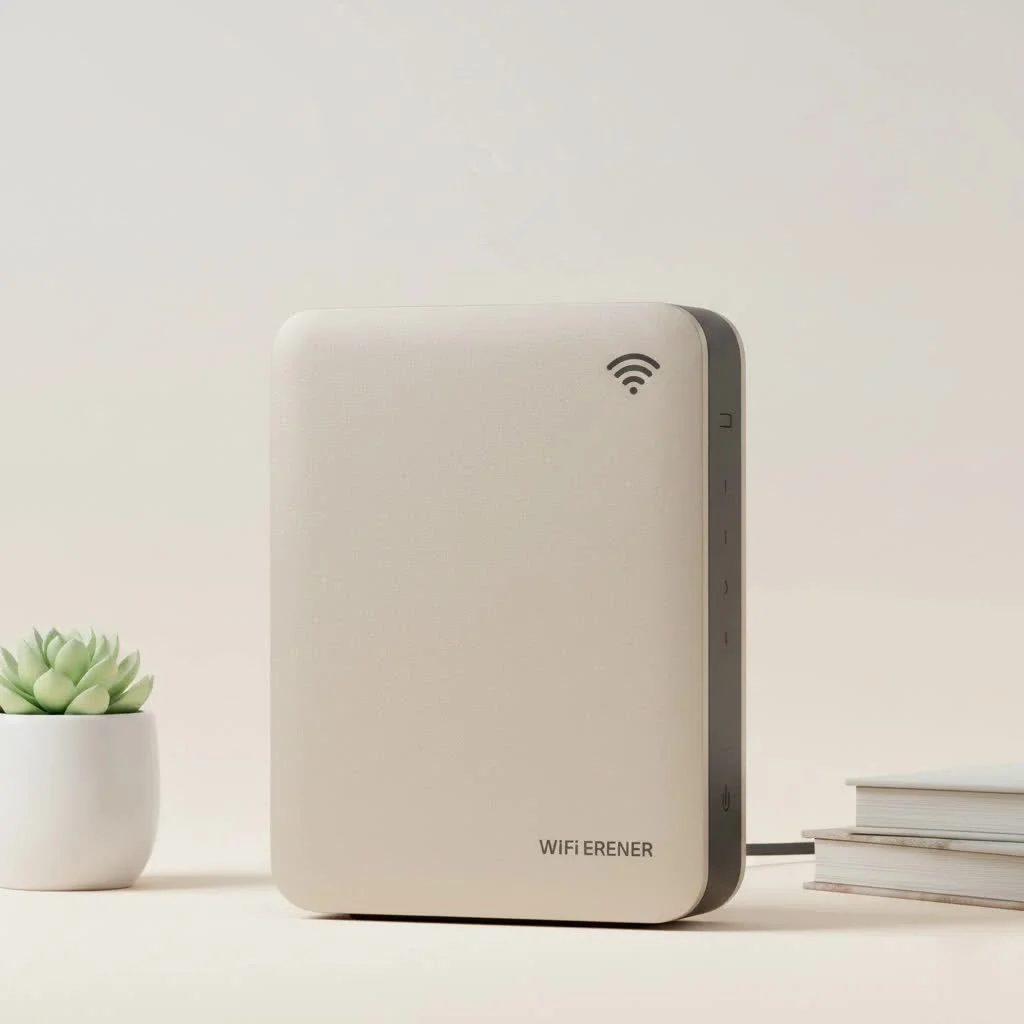
A long distance WiFi extender is a networking device that rebroadcasts your existing WiFi signal over a much larger area, effectively eliminating dead zones in large homes, offices, or outdoor spaces. These devices are equipped with powerful amplifiers and high-gain antennas, enabling them to extend coverage significantly, often reaching hundreds or even thousands of feet from your main router.
What Exactly is a Long Distance WiFi Extender?
A long distance WiFi extender, sometimes called a long-range repeater or booster, is designed to take your existing WiFi signal and rebroadcast it over a much larger area. While it functions similarly to a standard extender, its key difference lies in its hardware. Long distance models are equipped with more powerful amplifiers and high-gain antennas, enabling them to push the signal significantly farther. For see our wifi extenders recommendations on this site.
These devices are ideal for:
- Large, multi-story homes with thick walls or complex layouts.
- Properties with detached garages, workshops, or guest houses.
- Covering outdoor areas like patios, pools, or backyards.
- Small businesses needing to extend coverage across an entire office floor.
How Do These Powerful Extenders Work?
The concept is simple. The long distance WiFi extender has two primary jobs. First, it uses one set of antennas to listen for and pick up the original WiFi signal from your main router. Once it captures that signal, its internal amplifier boosts it, and a second set of antennas broadcasts this newly strengthened signal to previously unreachable areas.
This process creates a new, extended network bubble that overlaps with your original one, effectively eliminating dead spots and giving you a seamless connection as you move around your property.
Expert Insight from David Chen, Senior Network Engineer at TVCSP:“The biggest mistake people make is placing the extender in the dead zone itself. For best results, you must place the extender in a location where it can still receive a strong, stable signal from the main router—typically about halfway between the router and the area you want to cover.”
Key Features to Look for in a Long Distance WiFi Extender
Not all extenders are created equal. When you’re shopping for a device to cover a large area, here are the critical features to keep an eye on.
Antenna Strength and Design
The power of an extender’s antennas is measured in dBi (decibel-isotropic). For long-distance applications, look for models with high-gain external antennas (5dBi or higher). These are physically designed to capture and broadcast signals more effectively over greater distances than small, internal antennas.
Frequency Bands (Dual-Band vs. Tri-Band)
- Dual-Band: These extenders operate on both the 2.4GHz and 5GHz frequency bands. The 2.4GHz band offers a longer range but slower speeds, while the 5GHz band provides faster speeds over a shorter distance. A good dual-band extender uses one band to communicate with the router and the other to broadcast to your devices, reducing congestion.
- Tri-Band: These are the premium choice, offering one 2.4GHz band and two separate 5GHz bands. This allows the extender to dedicate an entire 5GHz band just for communicating with the router (known as the backhaul), leaving the other two bands free for your devices. This results in significantly better performance and less speed degradation.
Modern WiFi Standards
|
Our Picks for the Best Wifi Extender in 2026
As an Amazon Associate I earn from qualifying purchases.
|
||
| Num | Product | Action |
|---|---|---|
| 1 | Amazon eero 6 mesh wifi extender with 1-month free eero Plus (auto-renews) - Add up to 1,500 sq. ft. of Wi-Fi 6 coverage to your existing eero mesh wifi network |

|
| 2 | TP-Link AC1200 WiFi Extender, 2023 Engadget Best Budget Pick, 1.2Gbps Signal Booster for Home, Dual Band 5GHz/2.4GHz, Covers Up to 1500 Sq.ft and 30 Devices,Support Onemesh, One Ethernet Port (RE315) |
|
| 3 | WiFi Extender with 4 Antennas 1200Mbps - Dual Band 5GHz/2.4GHz, WiFi Extender Signal Booster with 3 Modes Support, WiFi Repeater with 12880 Sq.ft 105 Devices, Easy Set Up for Home |
|
| 4 | WiFi Extender, WiFi Extenders Signal Booster for Home Up to 5000 sq.ft and 50 Devices, WiFi Range Extender, Wireless Repeater, Long Range Amplifier with Ethernet Port, 1-Tap Setup, Alexa Compatible |
|
| 5 | Amazon eero 6+ mesh wifi system with 1 month free eero Plus (auto-renews) - Coverage up to 4,500 sq. ft., Connect 75+ devices, 3-pack |
|
| 6 | Amazon eero 7 with 1 month free eero Plus (auto-renews) - Supports internet plans up to 2.5 Gbps, Coverage up to 2,000 sq. ft., Connect 120+ devices, 1-pack |
|
| 7 | TP-Link AX3000 WiFi 6 Range Extender - PCMag Editor\'s Choice - Dual-Band Wireless Repeater w/Ethernet Port - Up to 2400 Sq. Ft., 64 Devices - Internet Signal Booster - APP Setup - EasyMesh (RE715X) |
|
| 8 | 2025 Fastest WiFi Extender, WiFi Repeater, WiFi Booster, Covers Up to 10000 Sq.ft and 80 Devices, Internet Booster - with Ethernet Port, Quick Setup, Home Wireless Signal Booster |
|
| 9 | 2025 WiFi Extenders Signal Booster for Home Long Range Up to 9800 sq. ft & 40 Devices, WiFi Extender Signal Booster, Quick Setup-Medium, Internet Repeater, WiFi Extender |
|
| 10 | TP-Link AC1900 WiFi Range Extender RE550 - Dual-Band Wireless Repeater Amplifier w/Gigabit Ethernet Port - Up to 2200 Sq. Ft., 32 Devices - Internet Signal Booster - APP Setup - EasyMesh Compatible |
|
Ensure the extender you choose supports the latest WiFi standards, ideally WiFi 6 (802.11ax). WiFi 6 is more efficient, offers faster speeds, and handles multiple connected devices far better than older standards like WiFi 5 (802.11ac). This future-proofs your network and ensures you’re getting the most out of your internet plan.
Weatherproofing for Outdoor Use
If you plan to extend your signal into the backyard or to an outbuilding, an outdoor-rated extender is non-negotiable. Look for devices with an IP rating (e.g., IP65 or higher), which indicates they are protected against dust and water, ensuring they can withstand the elements.
Step-by-Step Guide: Setting Up Your Extender
Setting up a long distance WiFi extender is usually a straightforward process. Here’s a general guide that applies to most models:
- Find the Optimal Location: As mentioned, this is the most crucial step. Place the extender roughly halfway between your router and the dead zone. It needs to be close enough to the router to get a solid signal (at least two or three bars on your phone).
- Power It On: Plug the extender into a power outlet. Wait for the power light to become solid, which usually takes a minute or two.
- Connect to the Extender: On your smartphone or laptop, go to your WiFi settings and connect to the network name (SSID) being broadcast by the extender. This will typically be something like “[BrandName]_EXT”.
- Launch the Setup Wizard: Open a web browser. You should be automatically redirected to the extender’s web-based setup page. If not, you can manually enter the default IP address found in the user manual (often 192.168.1.250 or mywifiext.net).
- Configure Your Network: Follow the on-screen instructions. You’ll be asked to select your existing home WiFi network from a list and enter its password. You can then choose to either give the extended network the same name as your main network (for a seamless experience) or create a new name (e.g., “HomeNetwork_EXT”).
- Finalize and Relocate: Once the setup is complete, the extender will reboot. The indicator lights will show the strength of the connection to your main router. If the light is green or blue, you’re good to go. If it’s amber or red, you need to move the extender a bit closer to the router.
Long Distance Extender vs. Mesh WiFi: Which is Right for You?
While extenders are fantastic, another popular solution for large homes is a Mesh WiFi system. It’s important to understand the difference to make the right choice.
| Feature | Long Distance WiFi Extender | Mesh WiFi System |
|---|---|---|
| How it Works | A single device captures and rebroadcasts the router’s signal. | Multiple “nodes” or “satellites” work together to replace your router and create a single, unified network. |
| Performance | Can sometimes cut your bandwidth in half, as it uses the same radio to receive and transmit data. | Generally provides faster, more consistent speeds throughout the home due to dedicated backhaul channels. |
| Coverage | Excellent for solving one or two specific dead zones far from the router. | Best for providing seamless, whole-home coverage with no dead spots. |
| Cost | More affordable, often under $100 for a powerful model. | More expensive, with systems typically starting around $150 and going up. |
| Best For | Extending a signal to a single, hard-to-reach area like a garage, basement, or patio. | Large, multi-story homes where consistent speed and seamless roaming are top priorities. |
Frequently Asked Questions (FAQ)
What is the maximum range of a long distance WiFi extender?
The range varies significantly based on the model, antennas, and environmental factors like walls and interference. Consumer-grade indoor models can reach up to 2,500 square feet, while specialized outdoor point-to-point extenders can broadcast a signal for several miles under ideal conditions.
Can a long distance WiFi extender improve my internet speed?
No, an extender cannot make your internet faster than the plan you pay for. Its job is to extend the range of your signal, not increase its speed. In fact, some signal degradation is normal, so speeds on the extended network will likely be slightly lower than right next to your main router.
How do I know if I need a long distance extender?
If you have a large property and specific areas where the WiFi signal is consistently weak or non-existent, an extender is a great solution. If you have spotty coverage everywhere and frequently move between floors, a mesh system might be a better fit.
Is it difficult to install an outdoor WiFi extender?
Physical installation can be more involved, as it may require mounting the device on a wall or pole and running a weatherproof power-over-ethernet (PoE) cable. However, the software setup is typically just as simple as an indoor model.
Are “repeater” and “extender” the same thing?
Yes, the terms are often used interchangeably. Both devices serve the same primary function: to capture an existing wireless signal and rebroadcast it to extend the network’s coverage area.
Final Thoughts on Extending Your Reach
A long distance WiFi extender is a powerful and cost-effective tool for conquering frustrating WiFi dead zones. By understanding the key features, choosing a model that fits your needs, and placing it in the optimal location, you can finally enjoy a strong, stable internet connection everywhere on your property. Say goodbye to buffering and hello to seamless connectivity, whether you’re working in the home office or relaxing by the pool.
Setting Up Your Long Distance WiFi Extender
Follow these steps to successfully set up your long distance WiFi extender and eliminate dead zones in your property.
Place the extender roughly halfway between your main router and the WiFi dead zone. Ensure it receives a strong, stable signal from the router, typically indicated by at least two or three bars on a connected device.
Plug the extender into a power outlet and wait for the power light to become solid. Then, connect your smartphone or laptop to the extender's broadcasted network (SSID), which is usually found in your WiFi settings.
Open a web browser; you should be redirected to the extenderu2019s web-based setup page. Follow the on-screen instructions to select your existing home WiFi network, enter its password, and choose a name for your extended network.
After setup, the extender will reboot. Check the indicator lights for the connection strength to your main router. A green or blue light typically signifies a good connection, while amber or red suggests you need to move the extender closer to the router.
Get our weekly buyer guide
Practical specs, not advice. Unsubscribe anytime.

Our old router just couldn’t cut it for our large home with thick walls. This long distance WiFi extender with its high-gain antennas made a huge difference. Now, even in the garage, I have a strong, stable connection. It’s great to finally have reliable internet everywhere.
I was skeptical about how much a long distance WiFi extender could really help, but this thing is a game-changer. My backyard office used to be a total dead zone, and now I get full bars. It was pretty easy to set up too, which was a relief. Definitely worth the investment for anyone with a large property.
I got one of these for my large office space, hoping to cover the entire building. While it did improve coverage in some areas, it didn’t quite reach the ‘thousands of feet’ I was hoping for. It’s good for eliminating some dead zones, but don’t expect miracles if you have a really massive area to cover. Still, it’s better than nothing.
This long-range repeater really boosted my signal in the far corners of my multi-story home. I can finally stream movies in the basement without buffering! The only reason it’s not 5 stars is that the initial setup took a little longer than I expected to get it just right. But once it was configured, it’s been rock solid.