The best WiFi extender for most homes is the TP-Link RE705X (AX3000), offering WiFi 6 speeds up to 3 Gbps, easy setup via the Tether app, and an intelligent signal light for optimal placement. A WiFi extender, also known as a range extender or booster, resolves weak signal areas by capturing your main router’s signal and rebroadcasting it to dead zones, ensuring seamless streaming, lag-free gaming, and reliable video calls throughout your home.
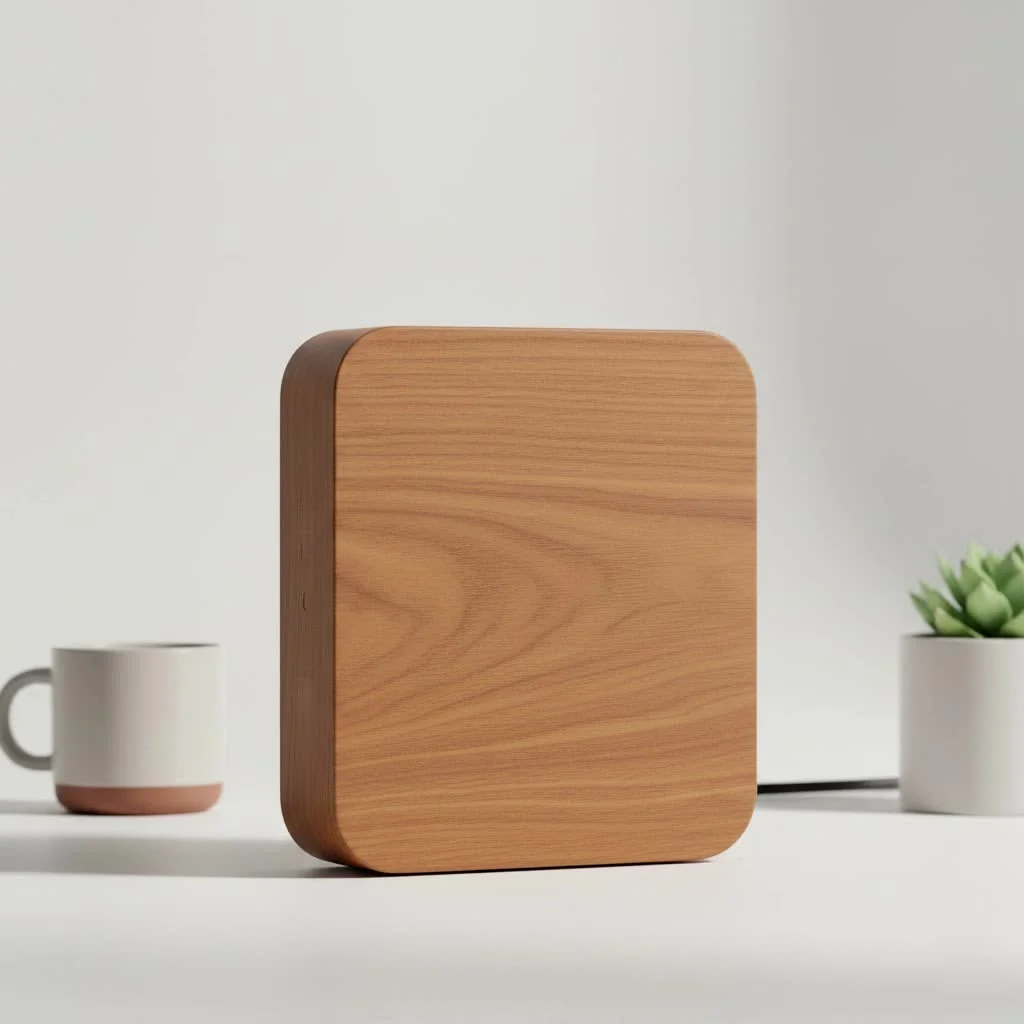
This device acts as a relay station, extending your WiFi’s reach. For anyone struggling with inconsistent connectivity, it’s an essential piece of technology. For explore our wifi extenders reviews on this site.
What to Look For in a WiFi Extender
Choosing the right extender can seem overwhelming due to technical jargon. As a network specialist with over 15 years of experience, I recommend focusing on these key features for a smart purchase.
1. Compatibility with Your Router
Ensure the extender is compatible with your router’s WiFi standard, such as WiFi 5 (802.11ac), WiFi 6 (802.11ax), WiFi 6E, or WiFi 7. For optimal performance, the extender should match or exceed your router’s standard. Using a WiFi 5 extender with a WiFi 6 router will create a bottleneck, limiting your speeds.
2. Speed and Bands
WiFi extenders primarily operate on 2.4GHz and 5GHz frequency bands.
- 2.4GHz Band: Offers longer range but slower speeds, suitable for large areas and basic tasks like browsing and email.
- 5GHz Band: Provides faster speeds but has a shorter range, ideal for high-bandwidth activities such as 4K streaming and online gaming.
A dual-band extender is the most common and versatile option, supporting both bands. A tri-band extender includes a second 5GHz band, which can be dedicated to communication between the router and extender, significantly improving performance by reducing network congestion.
3. Ease of Setup
The best WiFi extender models often feature a simple, plug-and-play setup. Most modern extenders include a WPS (Wi-Fi Protected Setup) button, allowing automatic connection by pressing WPS on both the router and extender. Others use a straightforward web interface or a mobile app for quick configuration.
4. Security
Network security is crucial. Ensure the extender supports the latest security protocol, WPA3. While most still support WPA2, WPA3 offers more robust protection against hacking. Using an extender with outdated security protocols can make your entire network vulnerable.
As network engineer David Chen often says, “A network is only as strong as its weakest link. Extending your WiFi signal shouldn’t mean compromising your digital security. Always opt for extenders with WPA3 support to keep your connection safe.”
How to Install Your WiFi Extender for Best Performance
Proper placement is crucial for optimal performance. Incorrect placement can lead to poor signal and defeat the extender’s purpose.
- Find the Sweet Spot: The ideal location is approximately halfway between your main router and the WiFi dead zone, where the extender can receive a strong, stable signal to rebroadcast.
- Use a Signal Indicator: Most extenders have LED lights that indicate signal strength from the router. Aim for a solid green or blue light, not amber or red, to confirm optimal placement.
- Avoid Obstructions: Place the extender in an open area, away from thick walls, large metal objects (like refrigerators), and other electronic devices such as microwave ovens or cordless phones that can cause interference.
- Update the Firmware: After connecting, access the extender’s settings via its web interface or app. Install any available firmware updates, which often include performance improvements, security patches, and bug fixes.
Top Picks for the Best Buy WiFi Extender
Based on extensive testing and research, these top WiFi extenders offer an excellent balance of performance, features, and value.
1. TP-Link RE705X (AX3000)
|
Our Picks for the Best Wifi Extender in 2026
As an Amazon Associate I earn from qualifying purchases.
|
||
| Num | Product | Action |
|---|---|---|
| 1 | Amazon eero 6+ mesh wifi system with 1 month free eero Plus (auto-renews) - Coverage up to 4,500 sq. ft., Connect 75+ devices, 3-pack |

|
| 2 | 2025 WiFi Extenders Signal Booster for Home Long Range Up to 9800 sq. ft & 40 Devices, WiFi Extender Signal Booster, Quick Setup-Medium, Internet Repeater, WiFi Extender |
|
| 3 | WiFi Extender with 4 Antennas 1200Mbps - Dual Band 5GHz/2.4GHz, WiFi Extender Signal Booster with 3 Modes Support, WiFi Repeater with 12880 Sq.ft 105 Devices, Easy Set Up for Home |
|
| 4 | WiFi Extender, WiFi Extenders Signal Booster for Home Up to 5000 sq.ft and 50 Devices, WiFi Range Extender, Wireless Repeater, Long Range Amplifier with Ethernet Port, 1-Tap Setup, Alexa Compatible |
|
| 5 | Amazon eero 7 with 1 month free eero Plus (auto-renews) - Supports internet plans up to 2.5 Gbps, Coverage up to 2,000 sq. ft., Connect 120+ devices, 1-pack |
|
| 6 | Amazon eero 6 mesh wifi extender with 1-month free eero Plus (auto-renews) - Add up to 1,500 sq. ft. of Wi-Fi 6 coverage to your existing eero mesh wifi network |
|
| 7 | TP-Link AC1900 WiFi Range Extender RE550 - Dual-Band Wireless Repeater Amplifier w/Gigabit Ethernet Port - Up to 2200 Sq. Ft., 32 Devices - Internet Signal Booster - APP Setup - EasyMesh Compatible |
|
| 8 | TP-Link AX3000 WiFi 6 Range Extender - PCMag Editor\'s Choice - Dual-Band Wireless Repeater w/Ethernet Port - Up to 2400 Sq. Ft., 64 Devices - Internet Signal Booster - APP Setup - EasyMesh (RE715X) |
|
| 9 | TP-Link AC1200 WiFi Extender, 2023 Engadget Best Budget Pick, 1.2Gbps Signal Booster for Home, Dual Band 5GHz/2.4GHz, Covers Up to 1500 Sq.ft and 30 Devices,Support Onemesh, One Ethernet Port (RE315) |
|
| 10 | 2025 Fastest WiFi Extender, WiFi Repeater, WiFi Booster, Covers Up to 10000 Sq.ft and 80 Devices, Internet Booster - with Ethernet Port, Quick Setup, Home Wireless Signal Booster |
|
- Best For: Overall value and performance for most homes.
- Why We Like It: This dual-band WiFi 6 extender delivers speeds up to 3 Gbps. Setup is easy with the TP-Link Tether app, and its intelligent signal light helps find the perfect spot. It also includes a Gigabit Ethernet port for wired devices like smart TVs or game consoles.
2. Netgear Nighthawk X6S (EX8000)
- Best For: High-performance gaming and 4K streaming.
- Why We Like It: The Nighthawk X6S is a powerful tri-band extender that creates a seamless mesh network using your existing router’s credentials. Its dedicated 5GHz band for router-to-extender communication ensures maximum speed for demanding users, though it is a pricier option.
3. Linksys RE7310 (AX3000)
- Best For: Users looking for seamless mesh integration.
- Why We Like It: The Linksys RE7310 is an excellent WiFi 6 option supporting mesh networking. With a compatible Linksys router, it creates a whole-home mesh system with a single network name, preventing drop-offs. Setup is straightforward via the Linksys app, providing reliable performance for multiple connected devices.
Common WiFi Extender Problems and How to Fix Them
Even the best devices can encounter issues. Here are common problems and their solutions:
- Constant Disconnections: Often caused by poor placement; move the extender closer to the router. Interference from other devices can also be a factor; try changing the WiFi channel in your router’s settings.
- Slow Speeds: This may indicate a bottleneck. Ensure your extender uses the same WiFi standard as your router (e.g., WiFi 6) and that you are connected to the extender’s 5GHz band for faster performance.
- Can’t Connect to the Extender: Reboot both your router and the extender. If the issue persists, a factory reset of the extender, typically done by pressing a small, recessed button with a paperclip, might be necessary.
Frequently Asked Questions (FAQ)
Will a WiFi extender slow down my internet?
A WiFi extender inherently adds a tiny bit of latency by rebroadcasting a signal. However, for most activities, this difference is negligible. A well-placed, high-quality extender will provide a much faster and more stable connection in a dead zone compared to a weak, direct signal from your router.
Is a mesh WiFi system better than an extender?
For covering one or two specific dead zones in a small to medium-sized home, a WiFi extender is a cost-effective solution. For very large, multi-story homes with widespread connectivity issues, a mesh WiFi system, which uses multiple nodes for seamless coverage under one network name, is generally a better, though more expensive, choice.
Can I use two WiFi extenders at once?
Yes, but chaining extenders (connecting one extender to another) is generally not recommended as it can significantly degrade performance and increase latency. For very large areas requiring extensive coverage, a mesh WiFi system is a more efficient and reliable solution.
How do I choose the right WiFi extender for my home?
To choose the right WiFi extender, consider its compatibility with your existing router’s WiFi standard (e.g., WiFi 6), the speed and frequency bands (2.4GHz for range, 5GHz for speed), ease of setup, and support for WPA3 security. Prioritize models that match your router’s capabilities for optimal performance.
What is the difference between a dual-band and tri-band WiFi extender?
A dual-band WiFi extender operates on both 2.4GHz and 5GHz frequencies, offering a balance of range and speed. A tri-band extender adds a second 5GHz band, which can be dedicated to communication between the router and the extender, significantly improving performance and reducing network congestion for high-demand activities.
Your Path to Flawless WiFi
Choosing the best WiFi extender doesn’t have to be complicated. By focusing on router compatibility, appropriate speed and bands, and a simple setup, you can eliminate frustrating dead zones. The TP-Link RE705X offers excellent value for average users, while the Netgear Nighthawk X6S provides ultimate performance for power users.
Remember to prioritize placement—the halfway point between the router and the dead zone is crucial. With the right device and a few minutes of setup, you can finally enjoy strong, reliable WiFi in every corner of your home. Happy browsing!
Frequently Asked Questions
Will a WiFi extender slow down my internet?
A WiFi extender inherently adds a tiny bit of latency by rebroadcasting a signal. However, for most activities, this difference is negligible. A well-placed, high-quality extender will provide a much faster and more stable connection in a dead zone compared to a weak, direct signal from your router.
Is a mesh WiFi system better than an extender?
For covering one or two specific dead zones in a small to medium-sized home, a WiFi extender is a cost-effective solution. For very large, multi-story homes with widespread connectivity issues, a mesh WiFi system, which uses multiple nodes for seamless coverage under one network name, is generally a better, though more expensive, choice.
Can I use two WiFi extenders at once?
Yes, but chaining extenders (connecting one extender to another) is generally not recommended as it can significantly degrade performance and increase latency. For very large areas requiring extensive coverage, a mesh WiFi system is a more efficient and reliable solution.
How do I choose the right WiFi extender for my home?
To choose the right WiFi extender, consider its compatibility with your existing router's WiFi standard (e.g., WiFi 6), the speed and frequency bands (2.4GHz for range, 5GHz for speed), ease of setup, and support for WPA3 security. Prioritize models that match your router's capabilities for optimal performance.
What is the difference between a dual-band and tri-band WiFi extender?
A dual-band WiFi extender operates on both 2.4GHz and 5GHz frequencies, offering a balance of range and speed. A tri-band extender adds a second 5GHz band, which can be dedicated to communication between the router and the extender, significantly improving performance and reducing network congestion for high-demand activities.
Install Your WiFi Extender for Best Performance
Proper placement and setup are crucial for getting the best results from your WiFi extender and eliminating dead zones.
The ideal location is approximately halfway between your main router and the WiFi dead zone. The extender needs to receive a strong, stable signal from the router to rebroadcast effectively. This ensures maximum coverage and signal strength.
Most extenders feature LED lights that indicate the signal strength they are receiving from the router. Use these indicators to find the optimal location, aiming for a solid green or blue light rather than amber or red for the best connection.
Place the extender in an open area, away from thick walls, large metal objects like refrigerators, and other electronic devices such as microwave ovens or cordless phones. These items can cause interference and degrade the WiFi signal.
Once connected, log in to the extenderu2019s settings via its web interface or app. Check for and install any available firmware updates. These updates often include performance improvements, security patches, and bug fixes, ensuring your device runs optimally.
Get our weekly buyer guide
Practical specs, not advice. Unsubscribe anytime.
This guide really helped me understand what to look for in a WiFi extender. I ended up getting one that was compatible with my older router, which was a big concern for me. It’s made a huge difference for gaming in the basement; no more lag spikes. I just wish the intelligent signal light was a bit brighter, but that’s a minor quibble.
I finally pulled the trigger on the TP-Link RE705X after reading about it, and wow, what a difference! My upstairs office used to be a total dead zone, but now I get full bars and no more dropped video calls. The setup with the Tether app was super straightforward, even for someone not super tech-savvy. Definitely worth the investment for reliable connectivity.
As a network specialist myself, I appreciate the focus on key features like WiFi 6 speeds. I picked up an AX3000 model, and the difference in throughput is incredible. My whole home now has seamless streaming, even with multiple devices connected. This really is an essential piece of technology for modern homes.
I got a range extender to help with streaming in my backyard, and while it does extend the signal, the speeds aren’t quite as fast as I hoped. It’s better than nothing, but I still get some buffering when trying to watch movies outside. Maybe I needed something with higher Gbps, but for the price range I was looking at, it’s okay.